Art TikTok Script Generator
A painter we worked with recently faced a common friction point: a Procreate-sponsored brief that required explaining a specific new brush feature without losing the 'vibey' studio atmosphere that defined their page. The brand wanted a feature walkthrough; the creator's audience wanted the ASMR of graphite on paper and the visual pay-off of a finished sketch. If the script opened with 'Today I’m checking out the new update,' the drop-off at the three-second mark would be catastrophic. WeKlapp handled this by analyzing the creator's top-performing process videos—specifically the ones where the camera angle stays tight on the hand—and weaving the brand talking points into the natural pauses of the drawing process. It’s about ensuring the brand integration feels like a tool choice rather than a commercial break, maintaining that crucial watch-time graph through the first ten seconds of the sketch.
Trained on what works in the art corner of TikTok
Hook variations tuned to the first 2 seconds of attention
Brand-fit angles vetted by an AI judge panel
Scene-by-scene storyboards you can revise in one click
I Was Paying $47/Month for Nothing
Hook: “I just found out I'm paying for three subscriptions I completely forgot existed.”
Angle: Creator opens the Ledger & Rye app live on camera and reacts in real time to forgotten subscriptions draining $47/month from their account.
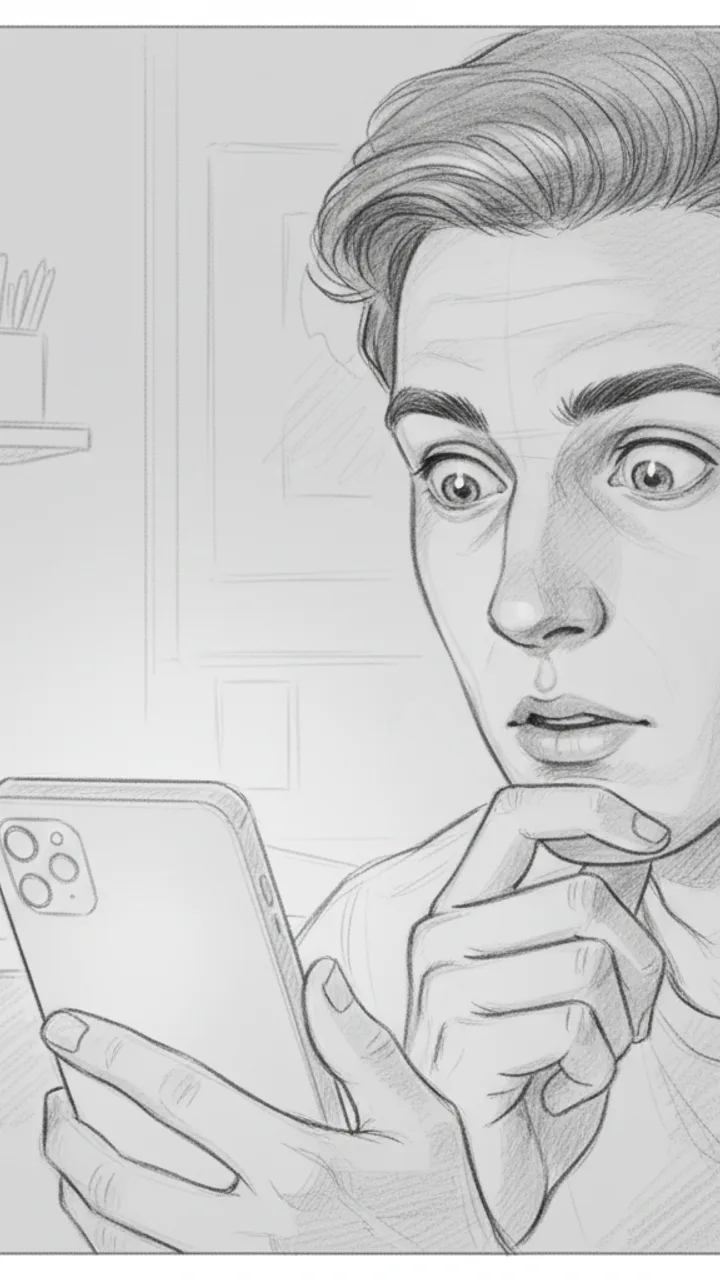
Hook
0:00 - 0:03 · 3s
Visual: Tight close-up on creator's face, slightly over-the-shoulder angle, phone screen faintly visible in hand. Text overlay in bold white: '$47/MONTH I FORGOT ABOUT'
Audio: I just found out I'm paying for three subscriptions I completely forgot existed.
Note: Deliver with a flat, tired expression — not dramatic, just genuinely annoyed at yourself. Hook doubles as thumbnail headline.
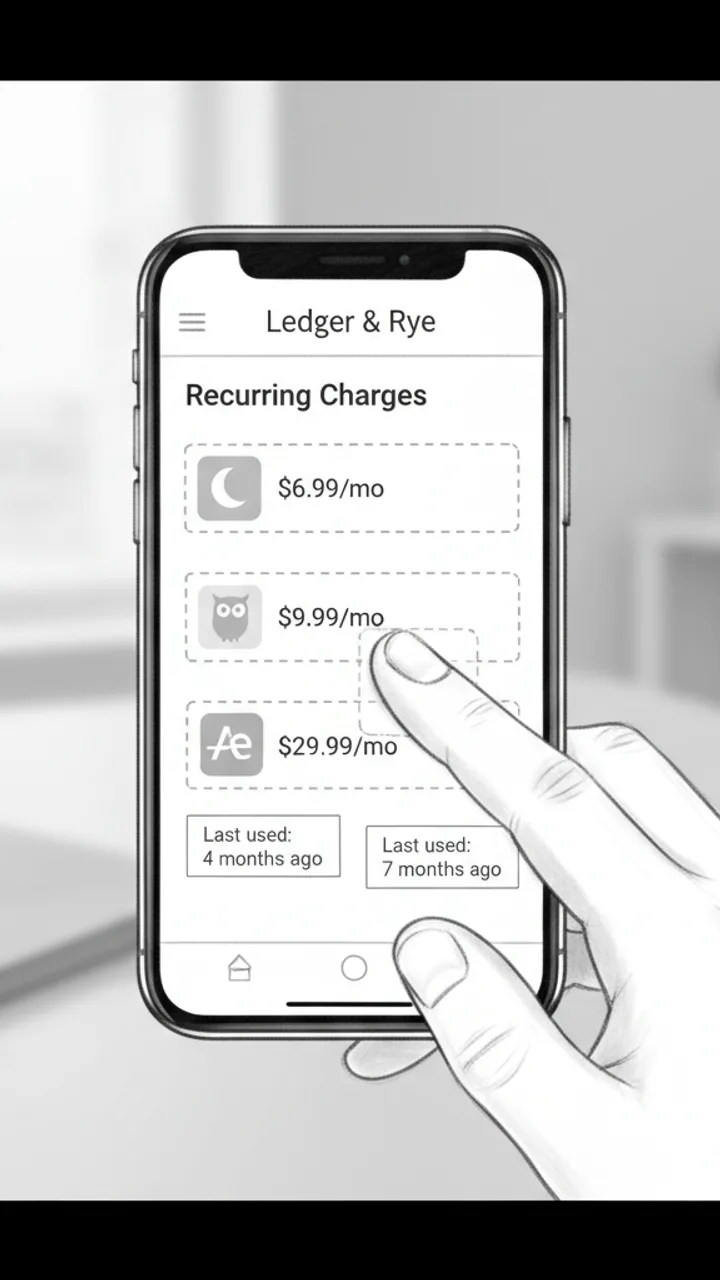
The Discovery
0:03 - 0:18 · 15s
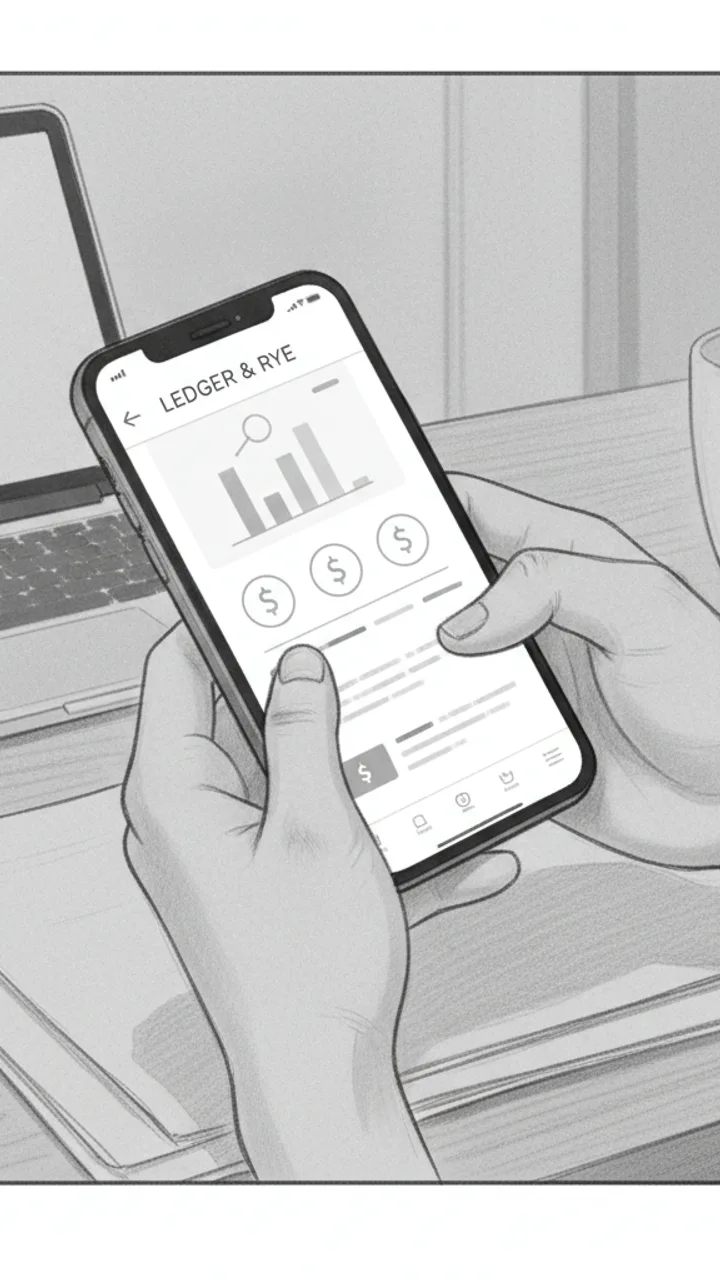
Visual: Screen recording of Ledger & Rye app open to a 'Recurring Charges' summary panel. Three line items animate in one by one: 'Calm — $6.99/mo', 'Duolingo Plus — $9.99/mo', 'Adobe Express — $29.99/mo'. Creator's thumb taps each one. Text overlay appears under each: 'Last used: 4 months ago', 'Last used: 7 months ago', 'Last used: 2 months ago'
Audio: So I opened Ledger and Rye and it flagged this 'Recurring Charges' section — and there's Calm, which I downloaded during a very specific week in 2022. Duolingo Plus, because apparently I was going to learn Portuguese. And Adobe Express for $30 a month, which… I genuinely cannot explain.
Note: Keep the screen recording clean and unedited — real app UI, no motion graphics added in post. The mundane specificity of the apps is the joke.
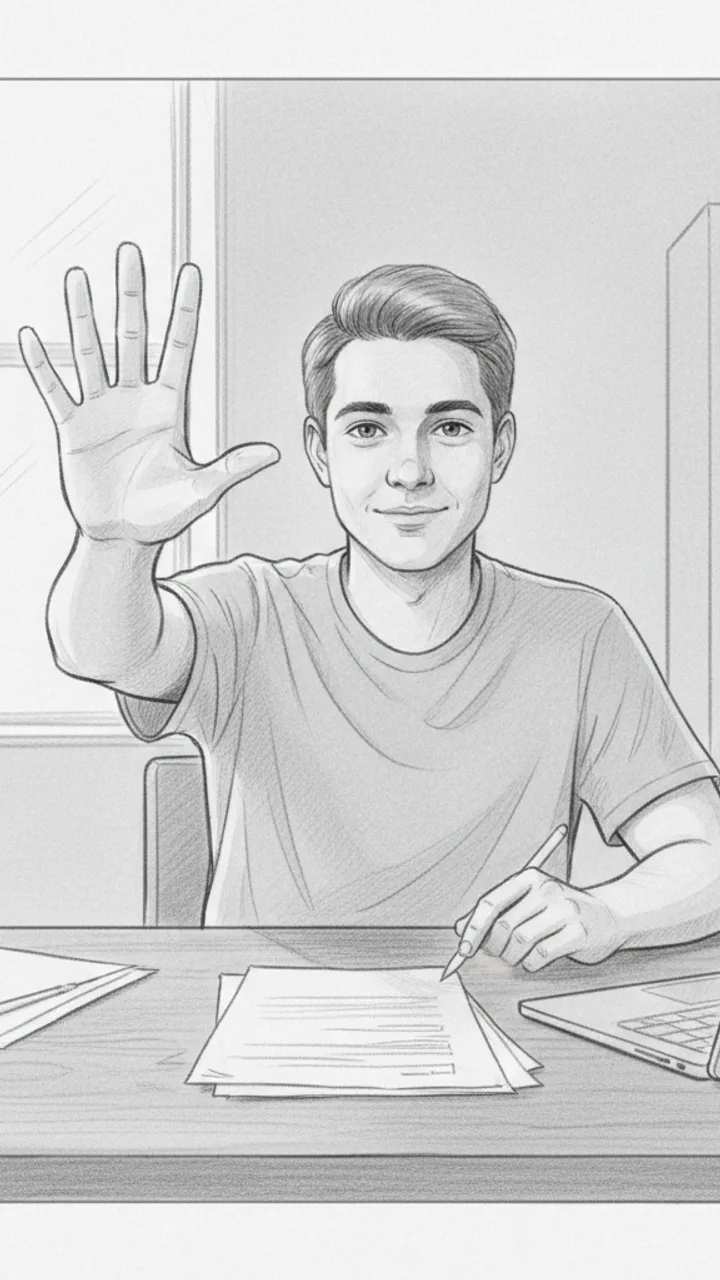
The Math
0:18 - 0:30 · 12s
Visual: Cut back to creator on camera, medium shot, sitting at a desk. Creator holds up three fingers and counts down. Text overlay bottom-center: '$47 / month = $564 / year'
Audio: That's $47 a month. Which is $564 a year. On apps I haven't opened since before I moved apartments. I cancelled all three in like four minutes. I'm not saying I'm bad with money, but I'm also not NOT saying that.
Note: Pause naturally after '$564 a year' — let the number land before the self-deprecating closer. No need to rush.
Soft CTA
0:30 - 0:38 · 8s
Visual: Creator tilts phone toward camera briefly showing the Ledger & Rye home screen, then sets it face-down. Minimal text overlay bottom-left: 'Ledger & Rye — link in bio'
Audio: If you haven't checked yours in a while, the app is called Ledger and Rye — it's free to start. Genuinely took me less time than this video to find all of it.
Note: Tone should feel like a recommendation to a friend, not a pitch. No urgency language. Creator sets the phone down casually — signals the video is over naturally.
Generate yours to see all 4 scenes unlocked
Includes hook variations, AI judge scores, and storyboard sketches per scene.
Generate your script freeNavigating the tension between brand technicality and creator aesthetic
Filtering AI variations to find the authentic brushstroke
- The 'Inverted Hook': Starting with the finished piece then cutting back to the first stroke to prove the process.
- The 'Audio Contrast': Lowering the background track volume during the technical explanation to signal a change in value.
- The 'Material Pivot': Introducing the digital tool only after establishing the physical inspiration for the piece.
- The 'Over-the-Shoulder' beat: A 3-second shot of the workspace to break up the screen-recording monotony.
Visualizing the scene-by-scene storyboard logic
Precise storyboarding prevents the 'reshoot trap' where a beautiful drawing lacks the specific technical frames required by the brand brief.
Where the human hand outpaced the algorithm
Example hooks WeKlapp will generate
Common mistakes (and what to do instead)
✗ Using generic 'lo-fi beats' that are royalty-free but overused and dated.
→ Use the 'original audio' from your actual painting process as the primary hook, then layer a trending but low-volume track underneath.
✗ Covering the UI in digital art recordings because you think it looks 'cleaner'.
→ Keep the UI visible if the brand brief is for software; viewers want to see exactly which menus you are clicking.
✗ Waiting until the end of the video to show the 'before' of a sketch.
→ Flash the 'before' or the reference photo in the first 1.5 seconds to establish the goal of the video.
These Shorts Don't Move When You Pull Heavy
Hook: “My shorts used to bunch up mid-deadlift. Fixed it.”
Angle: A no-nonsense home-gym trainer puts performance shorts through a real pull session and lets the details speak for themselves.
Hook
0:00 - 0:03 · 3s
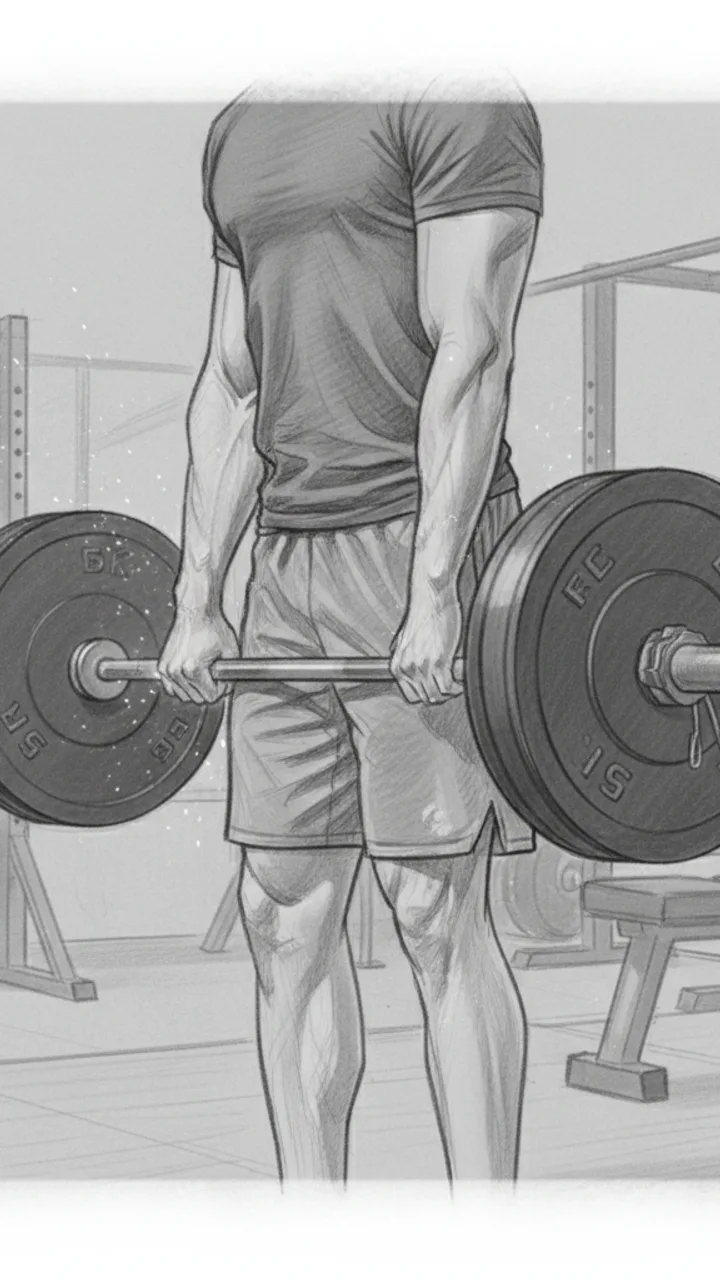
Visual: Tight mid-shot from the side, creator standing over a loaded barbell in the home gym. Chalk on hands, shorts visible at thigh level. Text overlay top-center: 'SHORTS THAT DON'T MOVE WHEN YOU PULL'
Audio: My shorts used to bunch up mid-deadlift. Fixed it.
Note: Cut in at the moment hands touch the bar — no intro, no setup. Hook doubles as thumbnail text.
The Pull
0:03 - 0:18 · 15s
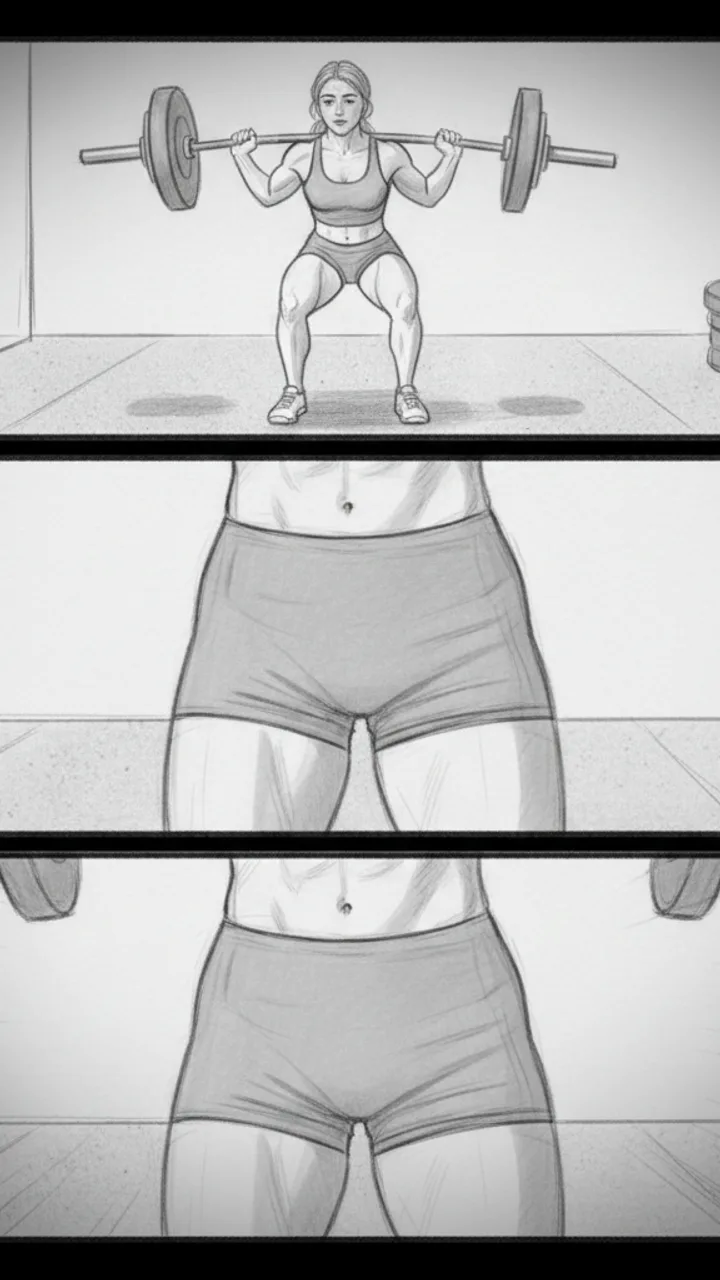
Visual: Wide angle showing full deadlift — setup, pull, lockout. Cut to close-up at the hip crease showing zero fabric ride-up at the top of the lift. Then a quick slow-mo replay of the lockout position. Text overlay at lockout: 'NO-RIDE-UP GUSSET'
Audio: This is the Reps Apparel short. Five-inch inseam. There's a gusset built into the crotch so when you hinge hard, the fabric moves with you — it doesn't climb. For me, that's the difference between thinking about the lift and thinking about my shorts.
Note: Keep the slow-mo clip under 3 seconds. The gusset callout text should appear exactly at lockout when thigh tension is highest.
The Pocket Detail
0:18 - 0:30 · 12s
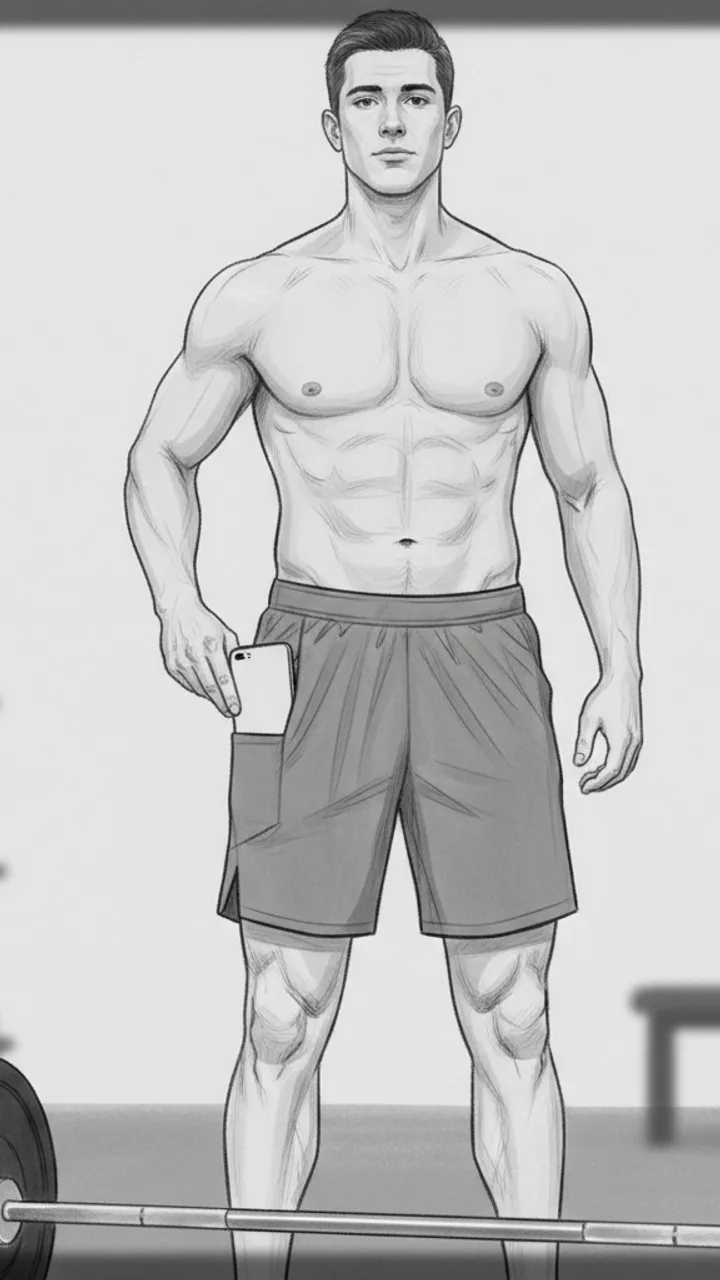
Visual: Creator sets the bar down, stands up straight. Reaches into what looks like a seamless side panel and pulls out a phone — hidden pocket reveal. Camera is chest-height, slightly angled up. Text overlay: 'HIDDEN PHONE POCKET — actually holds'
Audio: There's a hidden pocket on the side. My phone sits flat against my leg, doesn't bounce, doesn't print through the fabric. I've been using these through squat days, deadlift days, conditioning work — in my testing nothing has shifted or stretched out.
Note: The pocket reveal should feel incidental, not performed. Creator should glance at the phone briefly like checking a rest timer, then pocket it again.
CTA
0:30 - 0:40 · 10s
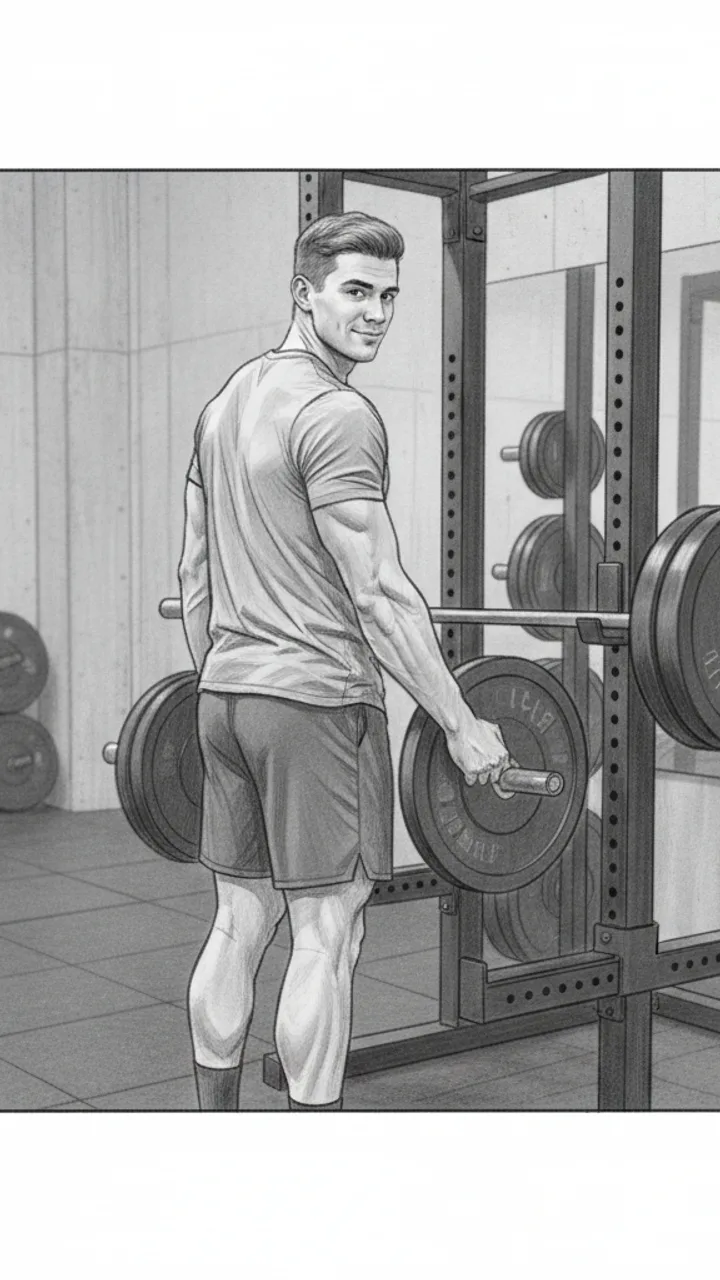
Visual: Creator loads more weight onto the bar, back to the camera, glances back at lens. Relaxed, not posed. Text overlay bottom of frame: 'Link in bio — Reps Apparel'
Audio: If you train at home and you're tired of adjusting your shorts between sets, link's in my bio. That's it.
Note: Do not linger on the CTA. Cut to black or next clip immediately after the line lands. Keep it transactional, not salesy.
Generate yours to see all 4 scenes unlocked
Includes hook variations, AI judge scores, and storyboard sketches per scene.
Generate your script freeFrequently asked questions
Can it handle specific brand requirements for digital art software?
Yes. When you upload a brand brief from a company like Procreate, the AI identifies non-negotiable keywords and feature mentions. It then places these within the script's 'value beats' so they feel like helpful tips rather than a forced commercial break.
Does the script generator provide visual cues for art-specific shots?
Every script includes on-screen action notes tailored for art content, such as 'extreme close-up on brush tip,' 'top-down desk wide shot,' or 'split-screen reference vs. canvas.' These notes help you film specifically for the edit, reducing wasted footage.
Is the storyboard detailed enough for a complex painting process?
The storyboard sketches are per-scene visual guides that help you frame the shot. For a complex painting, it helps you identify which stages of the process need to be captured to match the pacing of the script, ensuring you don't miss a 'mid-way' shot.
How do I ensure the brand disclosure doesn't kill my reach?
The AI judge panel scores your script for brand safety and disclosure. It suggests ways to integrate the '#ad' or 'Paid Partnership' mention into the script's narrative flow, often by making the brand the 'hero' of the problem-solving section of your video.
What if the generated script feels too corporate for my art page?
The 'Style Match' score in the AI judge panel flags content that deviates from your historical tone. If a script feels too corporate, you can adjust the 'vibe' settings to 'informal' or 'academic' and regenerate specific scenes while keeping the brand requirements intact.
Related script templates
Generate your first script in under a minute
Paste a channel link and a brand brief. WeKlapp handles the analysis, scriptwriting, judging, and storyboarding.
Start free