
Dance TikTok Script Generator
A choreographed TikTok usually dies in the first three seconds because the creator focuses on the 8-count instead of the hook. Brands like Bloch or Lululemon aren't just buying your technique; they are buying your ability to stop the scroll before the first beat drops. Most script tools fail here because they treat dance like a monologue rather than a visual sequence of tension and release. They output generic 'Hey guys' intros that ignore the physics of a transition or the precise moment a product needs to hit the frame to feel organic. WeKlapp functions differently by analyzing your specific movement style and layering it over the technical requirements of a brand brief. It understands that a transition-heavy tutorial needs a different script structure than a high-energy performance piece, ensuring the brand integration feels like a part of the choreography rather than an interruption of it.
Trained on what works in the dance corner of TikTok
Hook variations tuned to the first 2 seconds of attention
Brand-fit angles vetted by an AI judge panel
Scene-by-scene storyboards you can revise in one click
25-Minute Dinner That My Kids Actually Finished
Hook: “This one pan saved my Tuesday.”
Angle: A busy mom gives an unfiltered, real-time verdict on a Pantry Box weeknight kit — from box to plate in under 25 minutes, with kids as the ultimate judges.
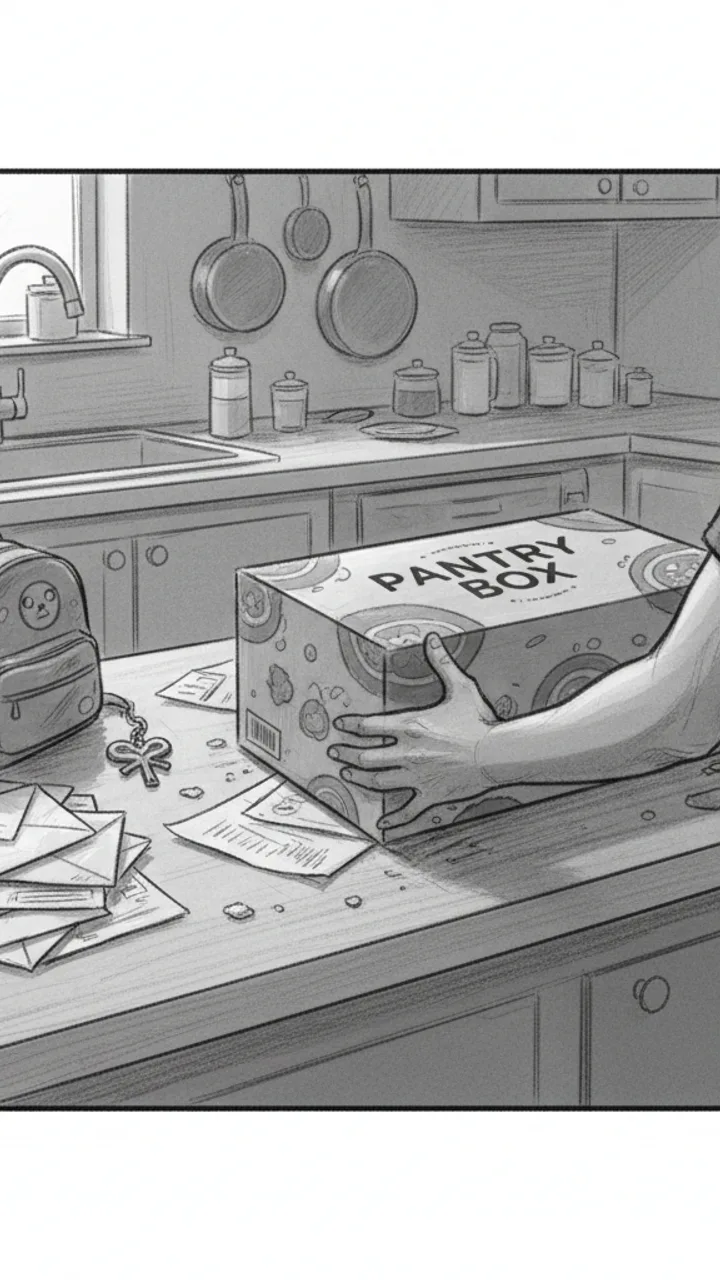
Hook
0:00 - 0:03 · 3s
Visual: Tight over-the-shoulder shot of a cluttered kitchen counter. Creator slaps a Pantry Box kit down next to a pile of unopened mail and a kid's backpack. Text overlay center screen: 'THIS ONE PAN SAVED MY TUESDAY'
Audio: This one pan saved my Tuesday.
Note: Hook line doubles as thumbnail headline. Keep it fast — no music intro, just ambient kitchen noise then voice.
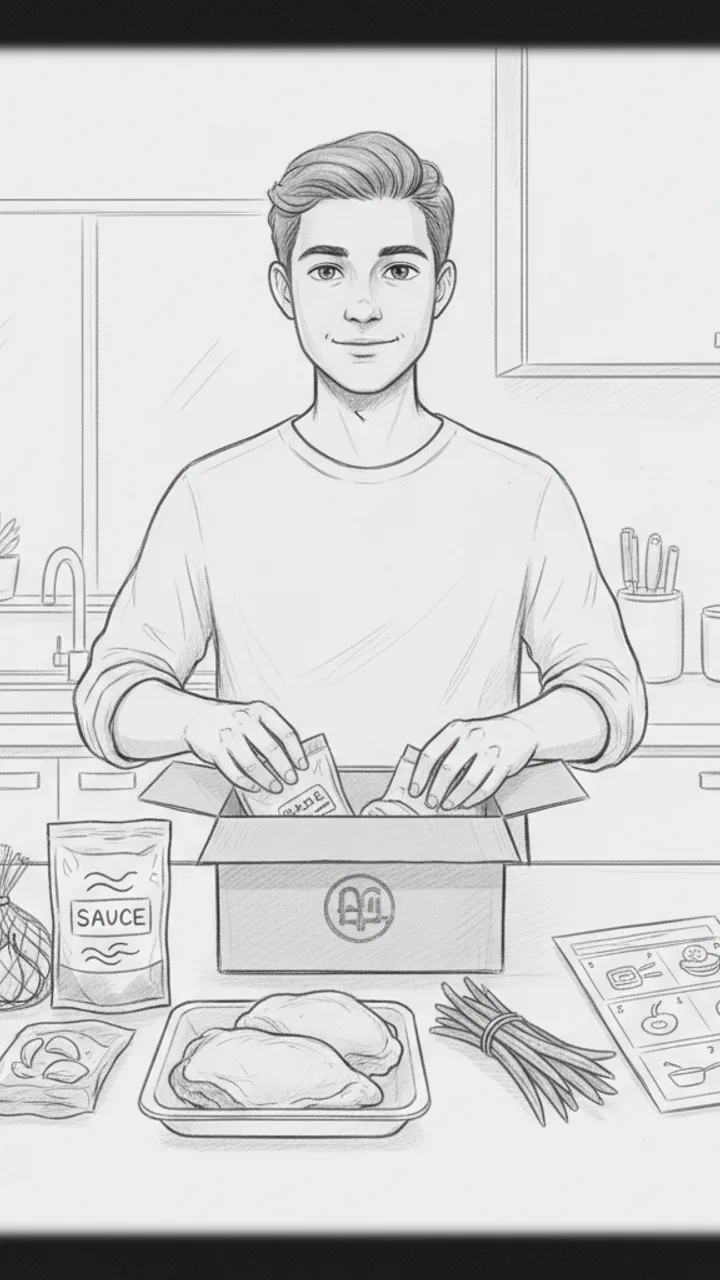
Unbox + Honest Setup
0:03 - 0:15 · 12s
Visual: Medium shot, creator facing camera at counter, pulling ingredients out of the Pantry Box kit one by one — pre-portioned garlic, a sauce packet, chicken thighs, green beans. Quick cut to close-up of the instruction card. Text overlay bottom of screen: 'Pantry Box honey garlic chicken kit'
Audio: Okay so I've tried maybe six of these kits now and honestly? Some of them are a lot of chopping dressed up as convenience. This one though — garlic's already minced, sauce is pre-made, and everything fits in one pan. I'm a little suspicious it's going to be good.
Note: Keep the skeptical tone genuine. Do not oversell. The 'suspicious it's going to be good' line builds authentic tension.
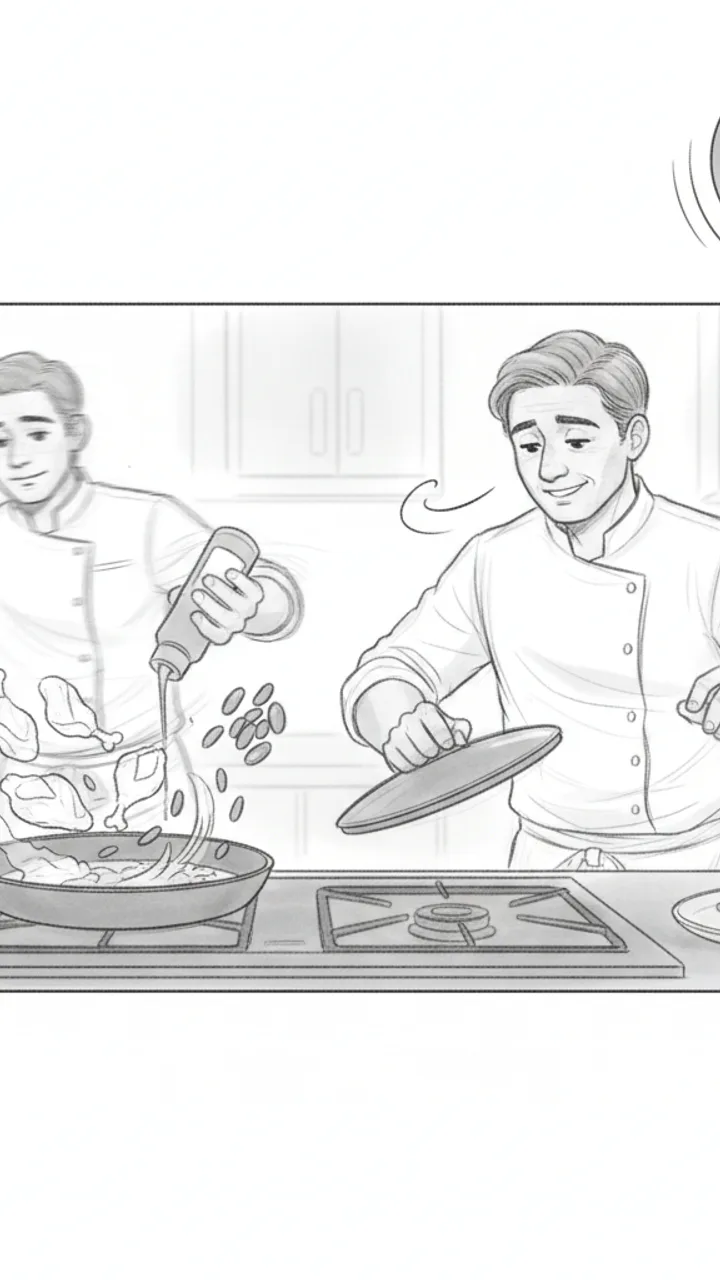
The Cook
0:15 - 0:30 · 15s
Visual: Sped-up wide shot of creator cooking — chicken going into the pan, sauce being poured, green beans added to the same pan. Clock graphic in corner ticking up to 22 minutes. Cut to creator lifting the lid and leaning in to smell it. Text overlay: '22 minutes. One pan. No disasters.'
Audio: I started this at 6:08. It's 6:30 and my kitchen smells like a restaurant, which — for a Tuesday — I'll take. One pan, one wipe-down, done.
Note: Use real timestamps if possible for authenticity. The sped-up cook with a real clock builds credibility without fabricating a claim.
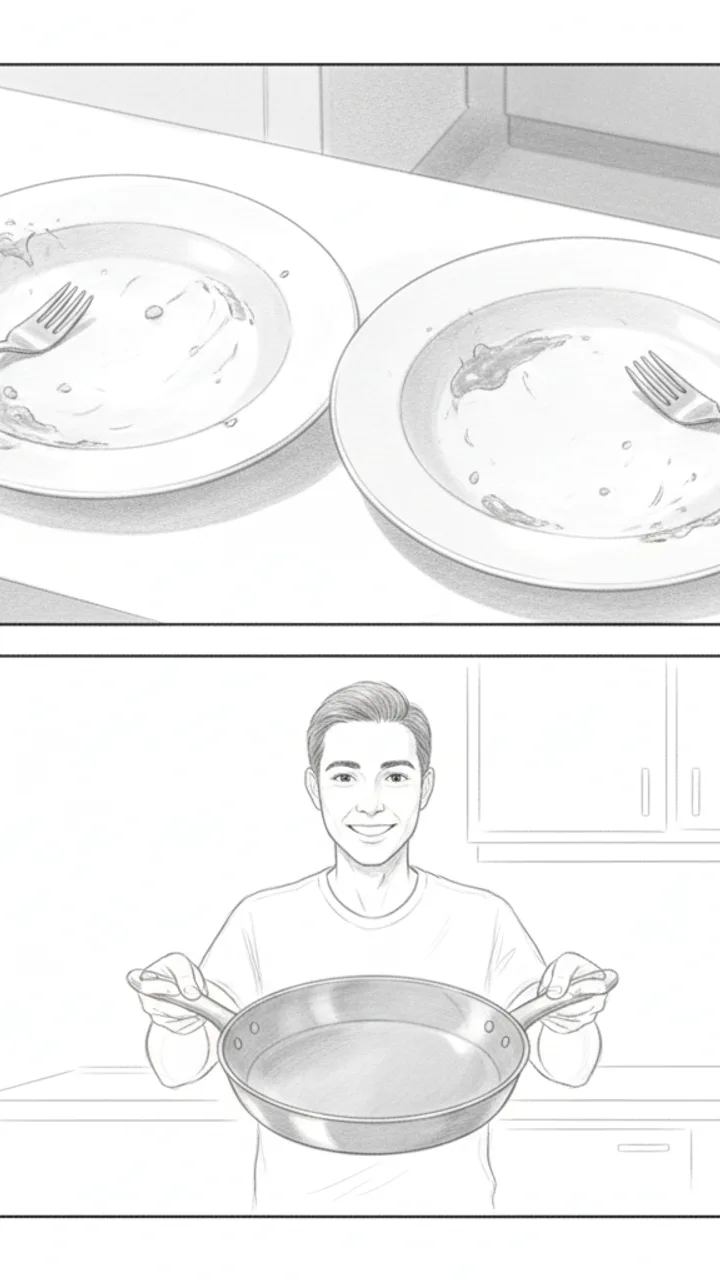
Kid Verdict + CTA
0:30 - 0:42 · 12s
Visual: Handheld close-up of two kids' plates — both mostly empty. Pan to creator holding up the empty pan toward camera with a shrug and a grin. Text overlay: 'Empty plates = mom win' then fade to: 'Link in bio — first box discount'
Audio: Both kids ate it. My seven-year-old asked if we could have it again, which is the only review that actually matters in this house. Not every kit lands like this one did — but for me, this is the one I'd reorder. Link in bio if you want to try it.
Note: CTA is soft and personal. Avoid superlatives. The 'not every kit lands' callback to scene 2 keeps the honest framing intact through the end.
Generate yours to see all 4 scenes unlocked
Includes hook variations, AI judge scores, and storyboard sketches per scene.
Generate your script free"AI scripts always sound like AI scripts."
The architectural shift from 'text generator' to 'executive producer'
- Timecoded on-screen text cues that avoid the TikTok 'dead zones' where buttons live.
- Visual action notes that specify when to show the product (e.g., mid-turn or during a floorwork transition).
- Multiple script variations ranging from 'minimalist/aesthetic' to 'high-energy tutorial'.
- AI-generated storyboard sketches to visualize camera angles and prop placement before you hit record.
- Direct export to Word for easy sharing with brand points of contact for pre-approval.
What the annotated output actually looks like
The tool scores production effort so you don't accidentally greenlight a script that requires four outfit changes for a thirty-second spot.
Where the tool stops and your craft begins
Example hooks WeKlapp will generate
Common mistakes (and what to do instead)
✗ Hiding the brand's product until the very end of the video to 'save' the reveal.
→ Introduce the product within the first 5 seconds through movement, like a snap-cut change or a close-up during the hook.
✗ Using a voiceover that repeats exactly what the on-screen text says.
→ Use the voiceover to provide context or personality while the text highlights the technical specs or the brand name.
✗ Neglecting the 'safe zones' and placing captions where the 'Like' and 'Comment' icons appear.
→ Keep all essential text and brand logos in the center-left 'safe zone' to ensure they aren't obscured by the UI.
Ice Still Rattling After 8 Hours in a Hot Car
Hook: “I left this in my car all day — it was 94 degrees outside.”
Angle: Real-world heat stress test proves insulation claim through three sequential proof shots with no staging.
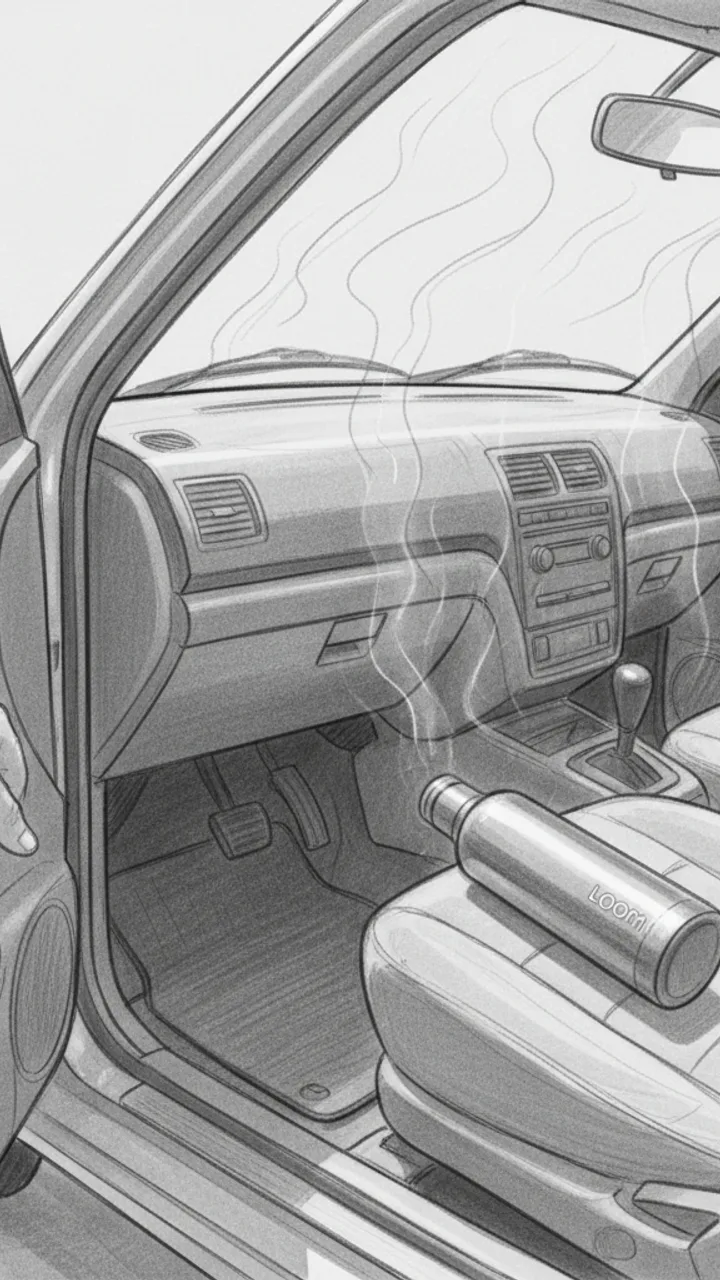
Hook — Hot Car Reveal
0:00 - 0:08 · 8s
Visual: POV handheld shot opening a sun-baked car door, heat shimmer visible. Creator reaches in and grabs the Loom Bottle off the passenger seat. Text overlay in bold white: 'LEFT IN A 94° CAR ALL DAY'
Audio: I left this in my car all day — it was 94 degrees outside. Dashboard was hot to the touch. Let's see what's inside.
Note: Shoot mid-afternoon for real heat shimmer. Keep the grab motion quick and confident — no hesitation.
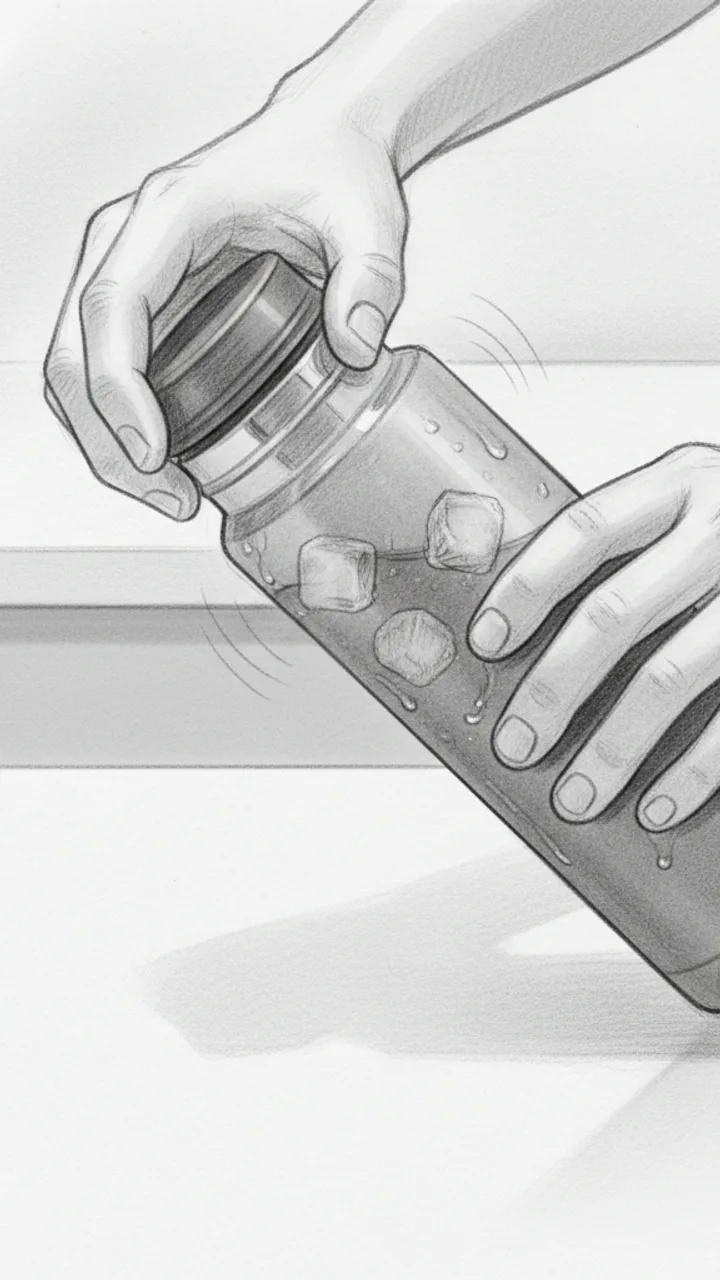
Proof Shot 1 — The Open
0:08 - 0:20 · 12s
Visual: Close-up shot of creator unscrewing the lid over a white countertop. Steam condensation visible on the outside of the bottle. Ice cubes audibly rattle as the lid comes off. Creator tilts bottle so ice is visible on camera. Text overlay: 'STILL ICE. 8 HOURS LATER.'
Audio: Eight hours later — listen to that. Full ice. In my testing I've never had it melt down this fast, but today was a real push and it held. You can see the condensation on the outside — that's how cold it still is in there.
Note: Capture the rattle sound clearly — this is the money audio moment. Use a lavalier mic or get the phone close to the bottle mouth.
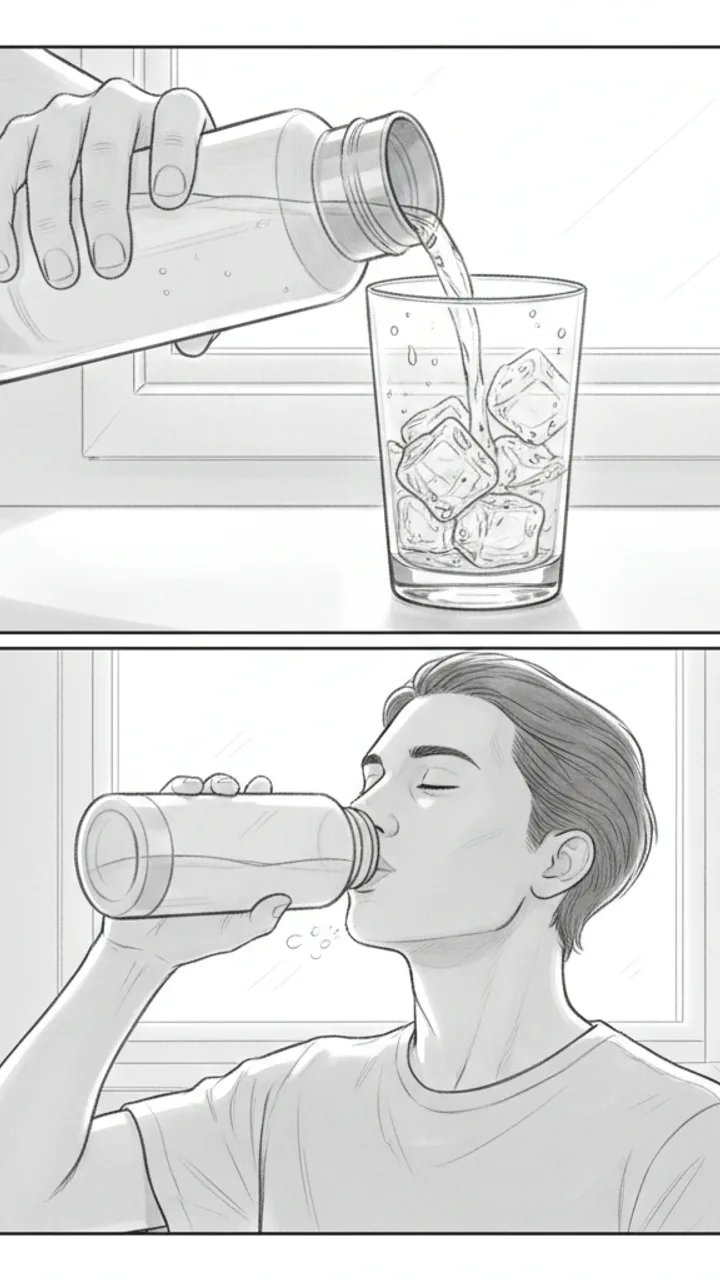
Proof Shot 2 and 3 — Pour and Taste
0:20 - 0:35 · 15s
Visual: Shot 1: Creator pours water over a clear glass — ice tumbles out, water is visibly cold with condensation forming on the glass instantly. Text overlay: 'COLD WATER. NOT LUKEWARM.' Shot 2: Creator takes a sip straight from the bottle, genuine reaction, slight exhale of relief. Text overlay: 'ACTUALLY COLD.'
Audio: That pour is cold — not just cool, actually cold. And drinking straight from it after sitting in a hot car? That's the whole point of the Loom Bottle for me. Link in bio if you want one — they go fast.
Note: The sip reaction needs to feel real. Do a genuine take, not performed surprise. The glass pour shot gives visual proof the ice survived — don't skip it.
Generate yours to see all 3 scenes unlocked
Includes hook variations, AI judge scores, and storyboard sketches per scene.
Generate your script freeFrequently asked questions
Can I upload a brand's PDF brief directly into the generator?
Yes. WeKlapp is designed to ingest PDF, DocX, or plain text briefs. It extracts the mandatory talking points, hashtags, and visual requirements so you don't have to manually check them against your script. This ensures you never miss a contractual obligation while focusing on the choreography.
Will the script generator suggest specific dance moves?
It suggests 'types' of movement—such as 'high-energy footwork' or 'slow-tempo floorwork'—based on the music and the brand's goals. It doesn't dictate choreography, as that is your expertise, but it tells you where a movement peak should occur to maximize viewer retention.
Does it work for creators who don't talk in their videos?
Absolutely. If your style is purely visual, the generator focuses on 'on-screen text' (OST) scripts and visual action notes. It will map out exactly when text should appear and disappear in sync with your transitions to keep the audience engaged without a voiceover.
How many script variations do I get for one brief?
The tool typically produces 3 to 5 distinct variations. This allows you to choose between a direct product review, a transition-heavy performance, or a 'behind the scenes' style setup, all while ensuring each version meets the brand's original requirements.
Can it help with storyboard sketches for complex transitions?
Yes, it generates per-scene storyboard sketches. These are low-fidelity visual guides that help you plan camera placement, lighting angles, and where you need to be in the frame for a transition to look seamless during the edit.
Related script templates
Generate your first script in under a minute
Paste a channel link and a brand brief. WeKlapp handles the analysis, scriptwriting, judging, and storyboarding.
Start free