Productivity TikTok Script Generator
A high-performing productivity TikTok usually follows a specific visual rhythm: a tight shot of a mechanical keyboard, a 0.5x wide lens angle of a clean desk, or the tactile click of a Pomodoro timer. The hook lands in the first 800 milliseconds, often while the creator is mid-action. If you wait until second three to reveal the payoff, the viewer has already scrolled past your Todoist workflow. Most AI writers fail here because they treat a script like a blog post with line breaks. They suggest 'Hello everyone' or 'Welcome back,' ignoring the fact that productivity audiences crave immediate, high-density utility. WeKlapp functions as an automated executive producer that understands these micro-beats. It doesn't just generate text; it maps out the 'b-roll' requirements and pacing necessary to keep a retention graph from cratering after the initial hook.
Trained on what works in the productivity corner of TikTok
Hook variations tuned to the first 2 seconds of attention
Brand-fit angles vetted by an AI judge panel
Scene-by-scene storyboards you can revise in one click
I Was Paying $47/Month for Nothing
Hook: “I just found out I'm paying for three subscriptions I completely forgot existed.”
Angle: Creator opens the Ledger & Rye app live on camera and reacts in real time to forgotten subscriptions draining $47/month from their account.
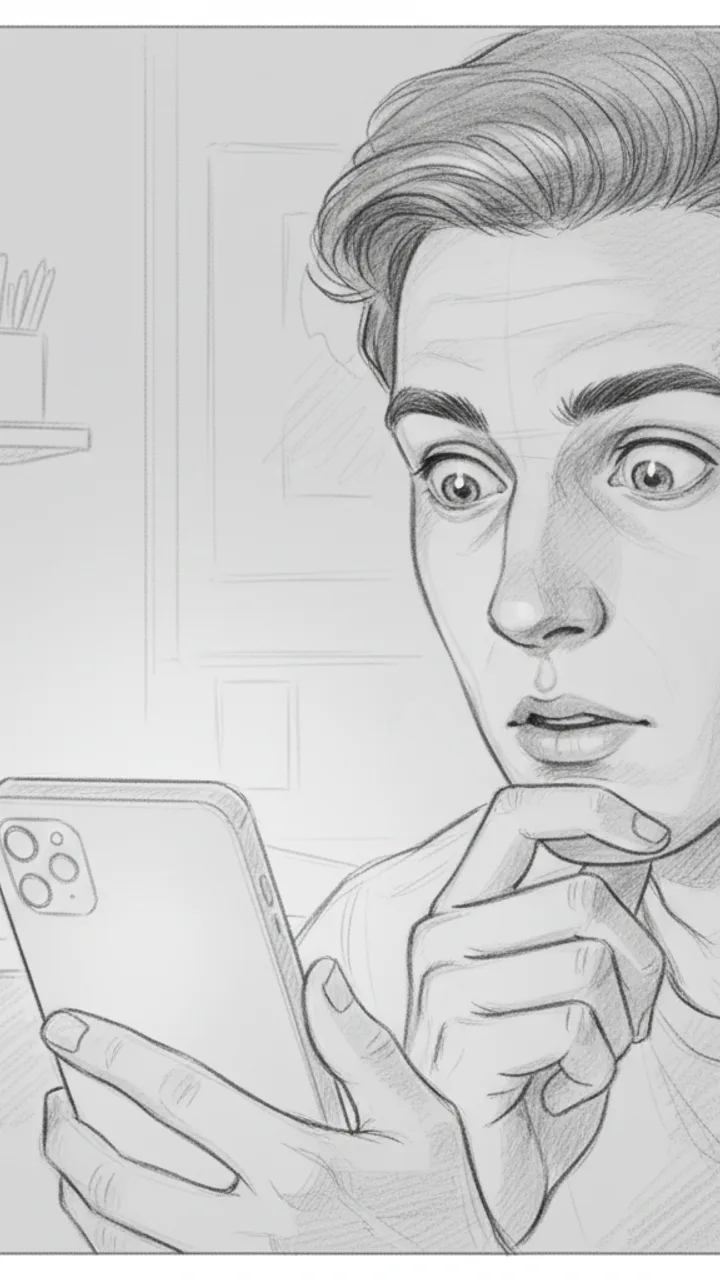
Hook
0:00 - 0:03 · 3s
Visual: Tight close-up on creator's face, slightly over-the-shoulder angle, phone screen faintly visible in hand. Text overlay in bold white: '$47/MONTH I FORGOT ABOUT'
Audio: I just found out I'm paying for three subscriptions I completely forgot existed.
Note: Deliver with a flat, tired expression — not dramatic, just genuinely annoyed at yourself. Hook doubles as thumbnail headline.
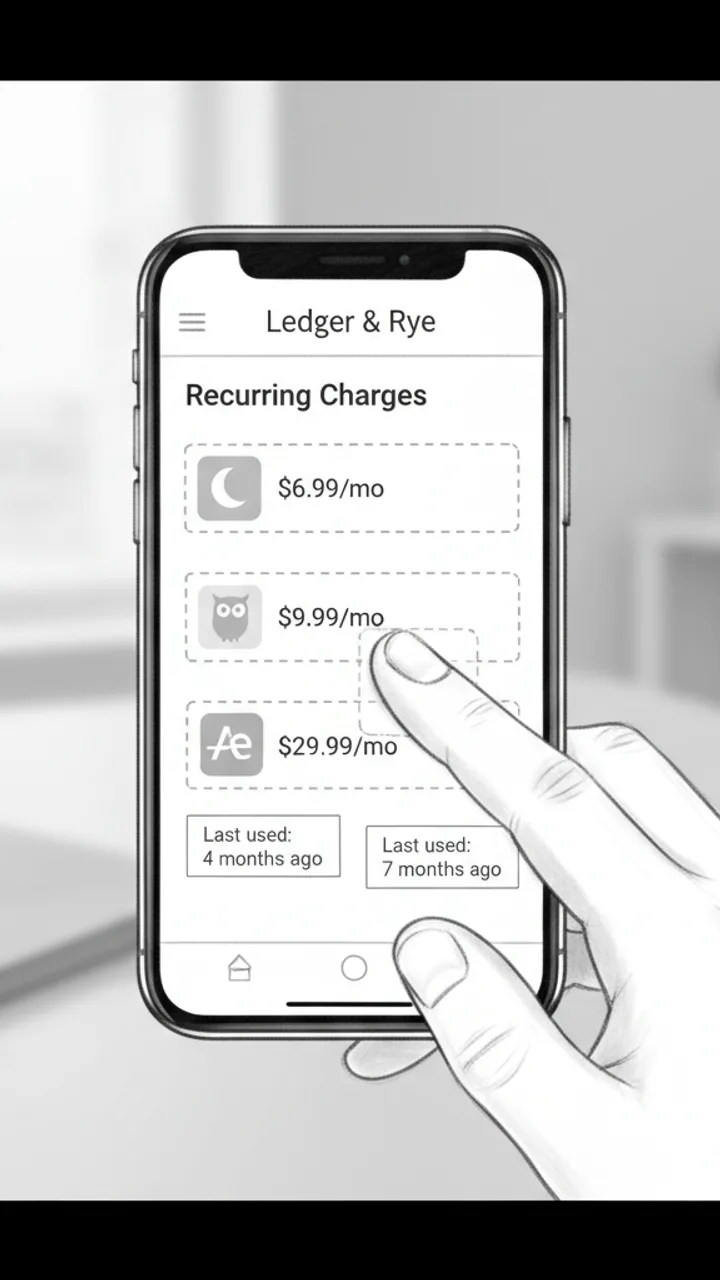
The Discovery
0:03 - 0:18 · 15s
Visual: Screen recording of Ledger & Rye app open to a 'Recurring Charges' summary panel. Three line items animate in one by one: 'Calm — $6.99/mo', 'Duolingo Plus — $9.99/mo', 'Adobe Express — $29.99/mo'. Creator's thumb taps each one. Text overlay appears under each: 'Last used: 4 months ago', 'Last used: 7 months ago', 'Last used: 2 months ago'
Audio: So I opened Ledger and Rye and it flagged this 'Recurring Charges' section — and there's Calm, which I downloaded during a very specific week in 2022. Duolingo Plus, because apparently I was going to learn Portuguese. And Adobe Express for $30 a month, which… I genuinely cannot explain.
Note: Keep the screen recording clean and unedited — real app UI, no motion graphics added in post. The mundane specificity of the apps is the joke.
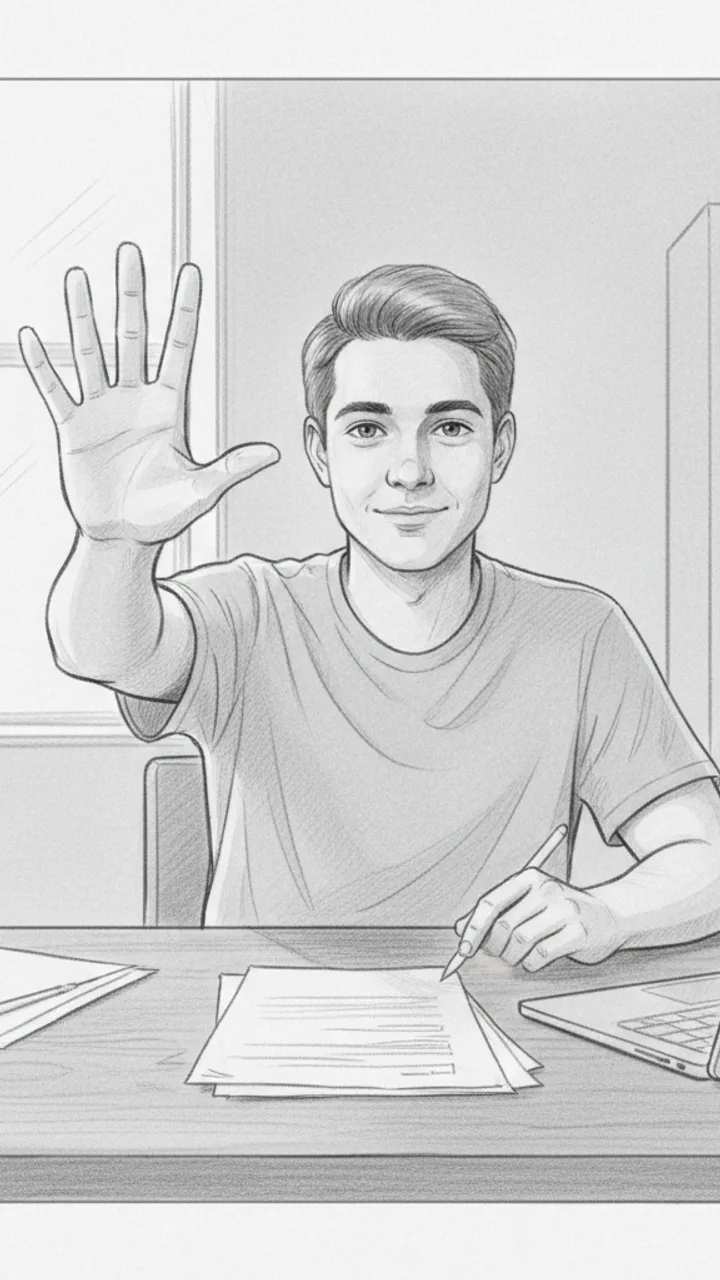
The Math
0:18 - 0:30 · 12s
Visual: Cut back to creator on camera, medium shot, sitting at a desk. Creator holds up three fingers and counts down. Text overlay bottom-center: '$47 / month = $564 / year'
Audio: That's $47 a month. Which is $564 a year. On apps I haven't opened since before I moved apartments. I cancelled all three in like four minutes. I'm not saying I'm bad with money, but I'm also not NOT saying that.
Note: Pause naturally after '$564 a year' — let the number land before the self-deprecating closer. No need to rush.
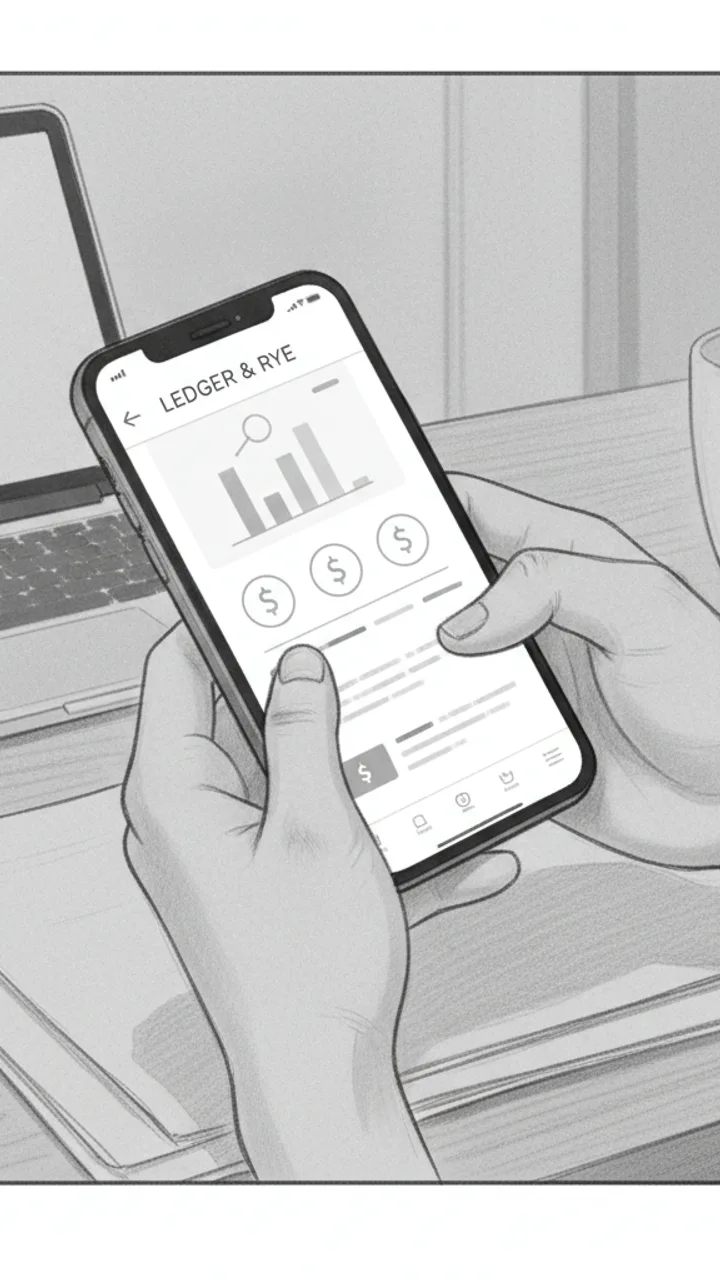
Soft CTA
0:30 - 0:38 · 8s
Visual: Creator tilts phone toward camera briefly showing the Ledger & Rye home screen, then sets it face-down. Minimal text overlay bottom-left: 'Ledger & Rye — link in bio'
Audio: If you haven't checked yours in a while, the app is called Ledger and Rye — it's free to start. Genuinely took me less time than this video to find all of it.
Note: Tone should feel like a recommendation to a friend, not a pitch. No urgency language. Creator sets the phone down casually — signals the video is over naturally.
Generate yours to see all 4 scenes unlocked
Includes hook variations, AI judge scores, and storyboard sketches per scene.
Generate your script freeThe anatomy of the productivity retention curve
Moving from text blocks to production blueprints
- Visual cues for deep work sessions, like lighting changes or specific desk setups.
- On-screen text overlays that highlight keyboard shortcuts or app names without cluttering the frame.
- Transition notes for 'before and after' workflow comparisons.
- Specific audio cues for haptic feedback sounds or notification pings that drive engagement.
- Action beats for 'resetting' a workspace to signal a new chapter in the video.
The AI judge panel and the brand safety filter
Great productivity content isn't about the tools; it's about the friction they remove from the creator's actual life.
Handling non-linear workflows and technical edge cases
Example hooks WeKlapp will generate
Common mistakes (and what to do instead)
✗ Opening with a long introduction about who you are or what you do.
→ Cut directly to the visual 'proof' or the core problem within the first 500ms.
✗ Reading a brand's talking points verbatim from the brief.
→ Translate the feature into a 'life result' that fits your existing productivity philosophy.
✗ Using static backgrounds for more than three seconds at a time.
→ Incorporate quick cuts to b-roll of the app interface or your physical workspace.
✗ Overselling a tool as a 'life-changer' without showing the learning curve.
→ Mention one small friction point you overcame to build trust with a cynical audience.
One Charger Replaced All Four on My Desk
Hook: “Four chargers on my desk — now it's one.”
Angle: A real desk teardown showing how a single 100W GaN brick eliminates cable chaos without sacrificing wattage per port.
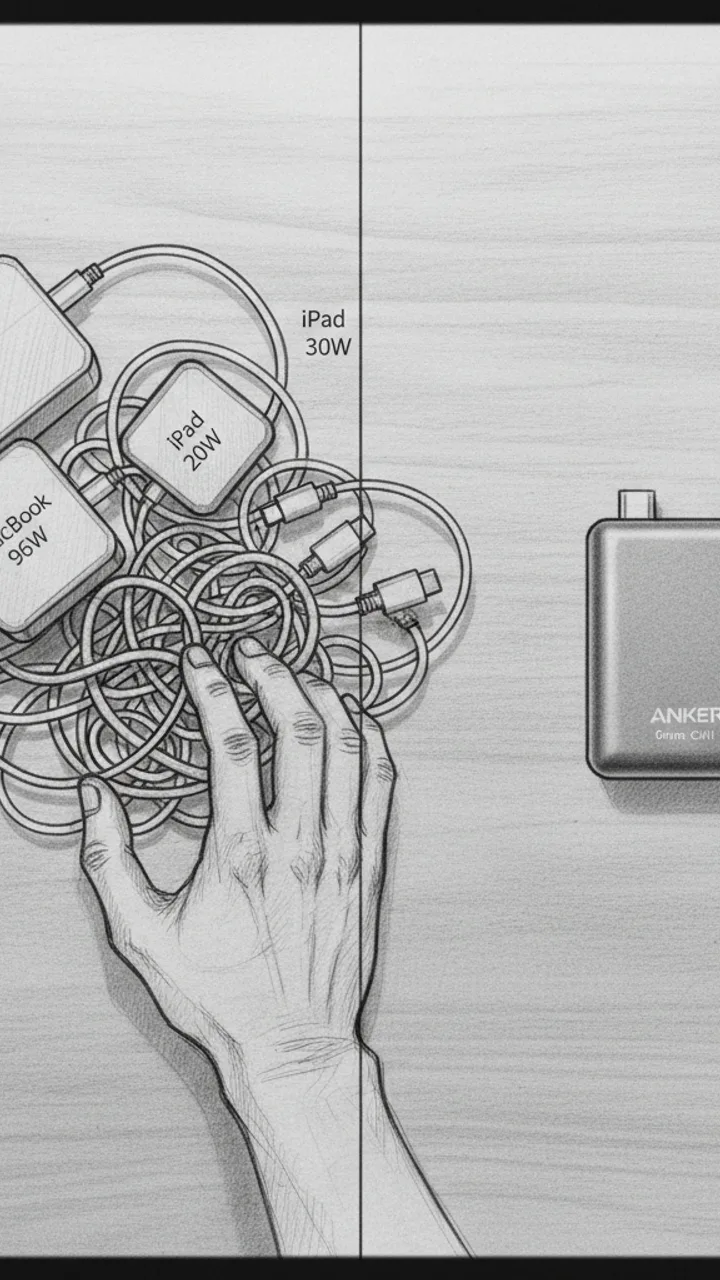
Hook
0:00 - 0:05 · 5s
Visual: Overhead flat-lay shot of a cluttered desk corner: four separate charger bricks tangled with cables — MacBook 96W, iPad 20W, phone 30W, earbuds 5W. Hand sweeps them into a pile. Cut to single Anker Prime unit sitting clean on the same corner. Text overlay: '4 CHARGERS → 1'
Audio: Four chargers on my desk — now it's one. This is the Anker Prime 100W GaN, and it actually pulls it off.
Note: Shoot the before state first with real gear, no staging. The contrast needs to feel honest, not art-directed.
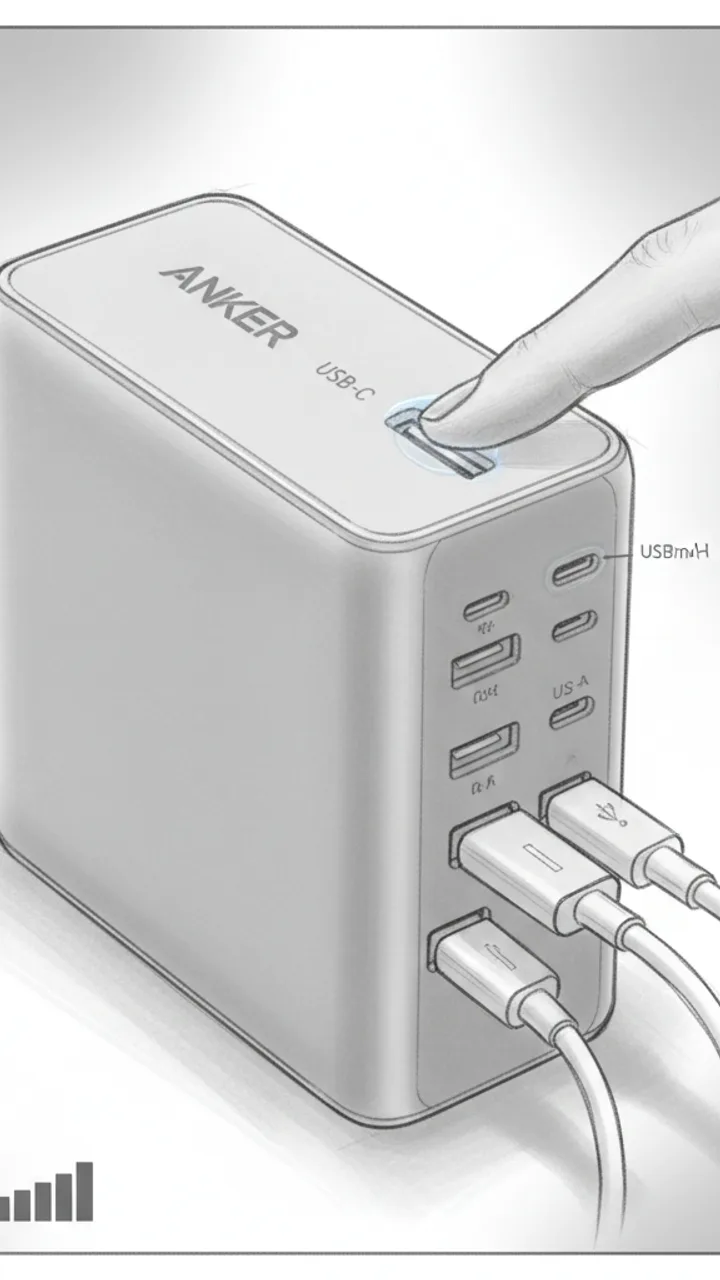
Port Breakdown
0:05 - 0:22 · 17s
Visual: Close-up macro shot rotating around the Anker Prime. Finger points to each port as it's named. Text overlays appear per port: 'USB-C Port 1 — up to 100W solo', 'USB-C Port 2 — up to 60W', 'USB-A — up to 22.5W'. Cut to all three cables plugged in simultaneously. Small on-screen wattage counter graphic showing combined draw.
Audio: Three ports — two USB-C, one USB-A. Solo on that top USB-C port, my MacBook Pro pulls a full 100 watts. Plug in two more devices and it redistributes dynamically. In my testing, MacBook was still pulling 67 watts with my phone and iPad both connected. That's not a given on cheaper GaN chargers.
Note: Use a USB-C power meter on screen if possible to show real wattage numbers — avoids any claim that feels fabricated.
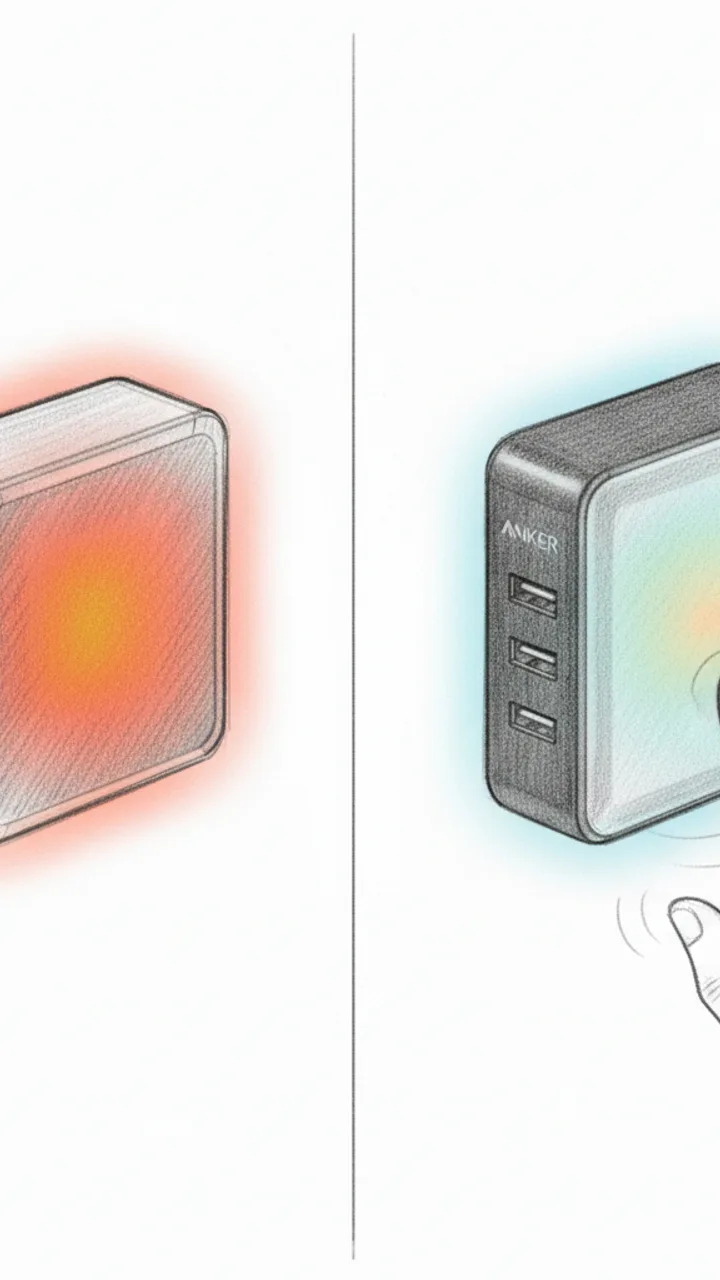
Thermal Check
0:22 - 0:42 · 20s
Visual: Side-by-side split screen: left shows a generic 65W non-GaN brick with a thermal camera overlay glowing orange-red after 30 minutes. Right shows the Anker Prime under the same thermal camera after 30 minutes at near-full load — cooler gradient. On-screen label: 'After 30 min at load'. Cut to hand touching the Anker Prime. Text overlay: 'Warm — not hot'
Audio: Thermal performance is where GaN either earns its price or doesn't. After 30 minutes pushing close to 90 watts total, in my testing the Anker Prime stayed warm to the touch — not the 'don't leave this plugged into your power strip' hot I've felt on older silicon chargers. The GaN internals are doing real work here.
Note: Use an actual thermal camera or FLIR app for authenticity. Do not use stock footage. If thermal camera isn't available, remove the split-screen and keep the hand-touch moment only.
Payoff + CTA
0:42 - 0:55 · 13s
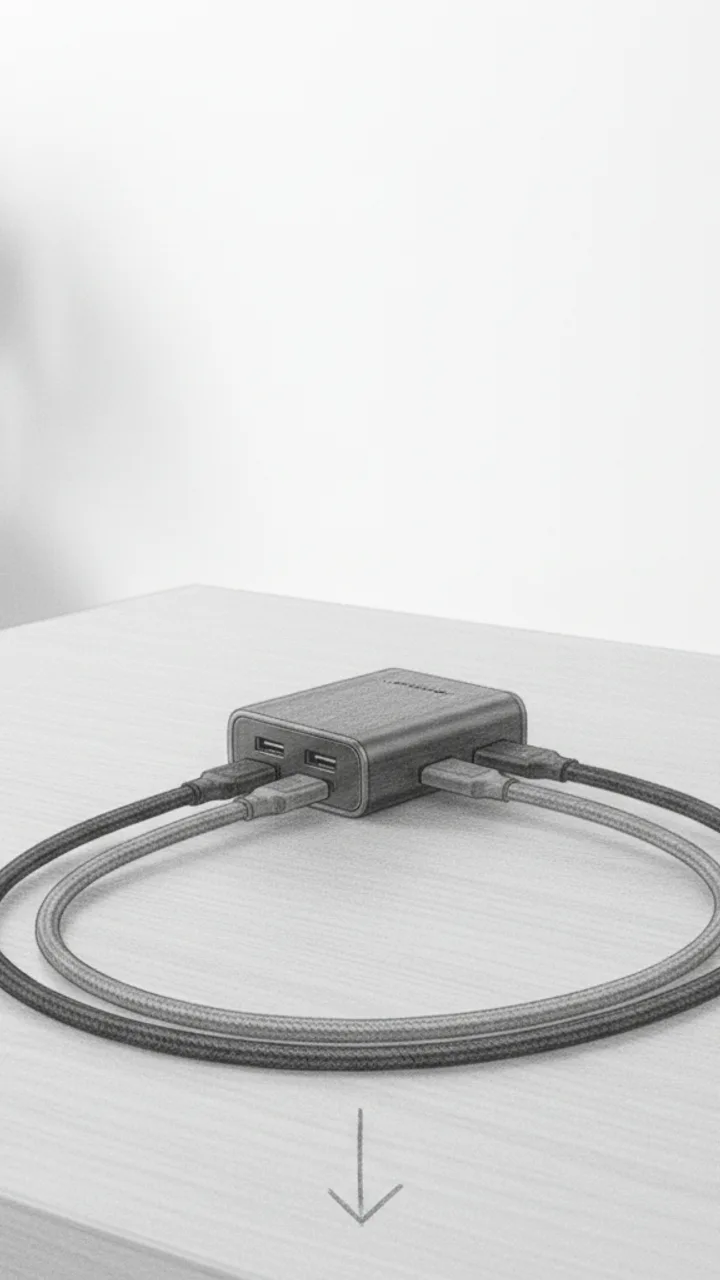
Visual: Wide shot of the clean desk with only the Anker Prime and three cables routed neatly. Slow zoom out. Text overlay: 'Link below'. Final frame: product alone on desk, no busy background.
Audio: For me, the desk math works out. One outlet, three devices, no compromise on speed. If your desk looks like mine did, link's below.
Note: Keep the CTA soft — no urgency language, no discount framing unless the brief specifically requests it. Let the visual do the selling.
Generate yours to see all 4 scenes unlocked
Includes hook variations, AI judge scores, and storyboard sketches per scene.
Generate your script freeFrequently asked questions
How does it know my specific editing style?
The generator analyzes your previously uploaded TikToks to identify your pacing, the frequency of your cuts, and your typical sentence length. It doesn't just copy your words; it mirrors the structural DNA of your most successful videos so the new script feels like an evolution of your brand.
Can I import a brand's messy PDF brief?
Yes. WeKlapp's engine is built to parse professional brand briefs, extracting the mandatory talking points, legal disclaimers, and 'do-not-say' lists. It then cross-references these against your style to find the overlap where the brand's goals meet your audience's interests.
What if the AI suggests shots I can't actually film?
The AI judge panel includes a production effort score. You can set your 'production tier' from 'low-fi/handheld' to 'high-production/multi-cam.' If a script requires a drone shot and you're in a home office, the agent will flag it and suggest a more realistic alternative.
Does it support specific productivity frameworks like GTD or Second Brain?
The system is pre-trained on major productivity methodologies. If you tell the generator you are a 'GTD purist' or a 'Zettelkasten enthusiast,' it will ensure the script logic adheres to those frameworks without you having to explain the concepts from scratch every time.
Can it generate scripts for different video lengths?
You can toggle between 15, 30, and 60-second targets. The generator adjusts the beat density accordingly. A 15-second script will focus on a single punchy tip, while a 60-second script will allow for a more nuanced 'how-to' demonstration with multiple scene changes.
How do the storyboard sketches work?
Based on the action notes, the system generates simplified wireframe sketches for each scene. These aren't meant to be final art; they are visual guides to help you or your editor understand the framing, depth of field, and placement of on-screen elements before you hit record.
Related script templates
Generate your first script in under a minute
Paste a channel link and a brand brief. WeKlapp handles the analysis, scriptwriting, judging, and storyboarding.
Start free