
Script Templates for Beauty Creators
A skincare brief lands at 9am Monday. Shoot is Friday afternoon. The clock is the problem. In beauty, a brand deal isn't just about saying the name of a serum; it is about the specific viscosity of the liquid, the honest texture of the skin under ring lights, and the precise moment a shade match oxidizes. Brands rebook creators who nail the 'texture shot' without being asked. They ghost creators who deliver flat, overly scripted monologues that feel like a QVC segment. WeKlapp builds beauty scripts that prioritize these visual proof points. It moves past generic 'get ready with me' templates to generate scripts that account for the three-second transition, the macro lens requirements for skincare, and the specific lighting needs for a foundation wear-test. It bridges the gap between what a brand manager puts in a PDF and what actually stops a scroll on a Tuesday night.
Built for beauty creators with any audience size
Brief intake from PDF or plain text
Multiple script variations per brief
AI judge panel + scene-by-scene revisions
The Boring Cleanser That Fixed My Skin Barrier
Hook: “This is the least exciting product I've ever loved.”
Angle: A chemistry-curious reviewer documents 14 days of using a ceramide cleanser as a skin-barrier reset — no drama, just honest observation.
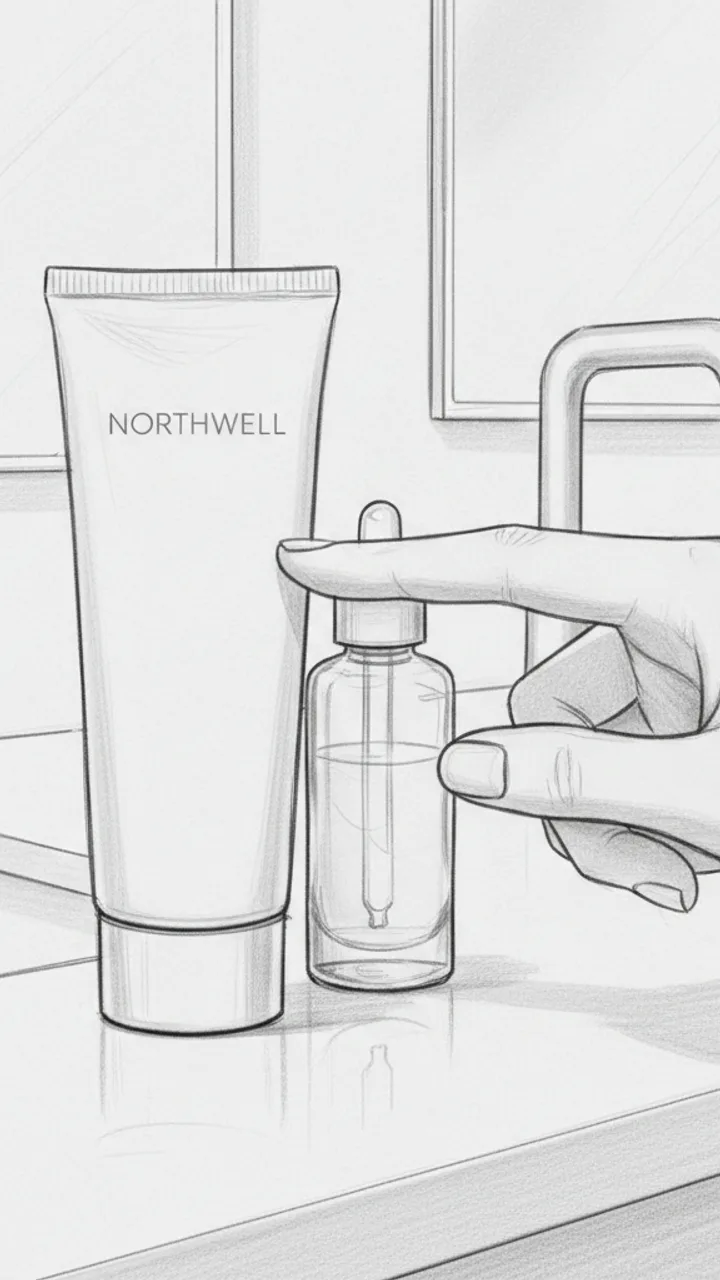
Hook
0:00 - 0:03 · 3s
Visual: Close-up handheld shot of a plain, minimal Northwell cleanser tube sitting on a bathroom counter next to a half-empty serum. Creator's hand taps it once. Text overlay in clean sans-serif: 'THE BORING CLEANSER THAT FIXED MY SKIN BARRIER'
Audio: This is the least exciting product I've ever loved.
Note: No face needed in this shot — let the product do the work. Tap should feel casual, not performative.
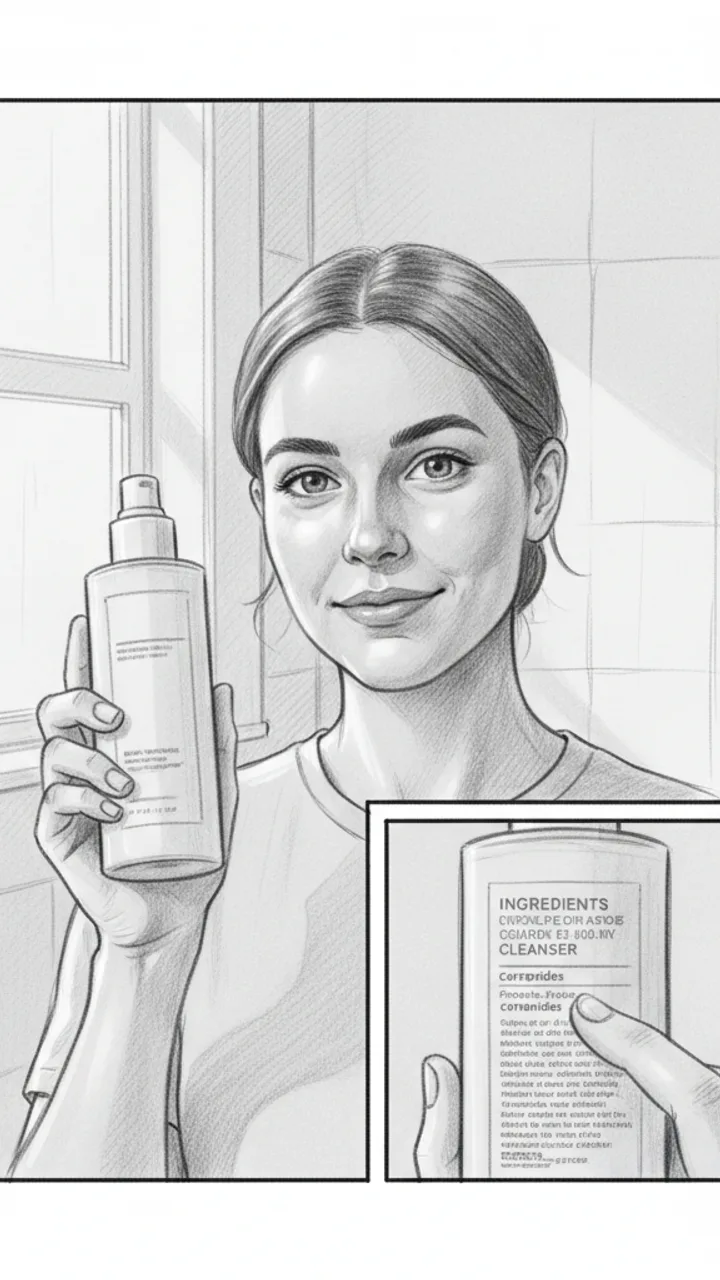
The Problem Setup
0:03 - 0:15 · 12s
Visual: Medium shot, creator facing camera in bathroom lighting — natural, not ring-lit. Holds up cleanser. Cut to a quick close-up of the ingredient panel with a finger underlining 'ceramides.' Text overlay: 'ceramides = barrier glue, basically'
Audio: My skin was doing that thing where it's tight after washing but also somehow still flaky. Classic compromised barrier stuff. I wanted to strip it back and just use something with ceramides and nothing that would fight with my skin — so I tried the Northwell ceramide cleanser for 14 days, pretty much nothing else changed.
Note: The ingredient close-up should be legible but quick — 1.5 seconds max. Feels like a passing observation, not a lesson.
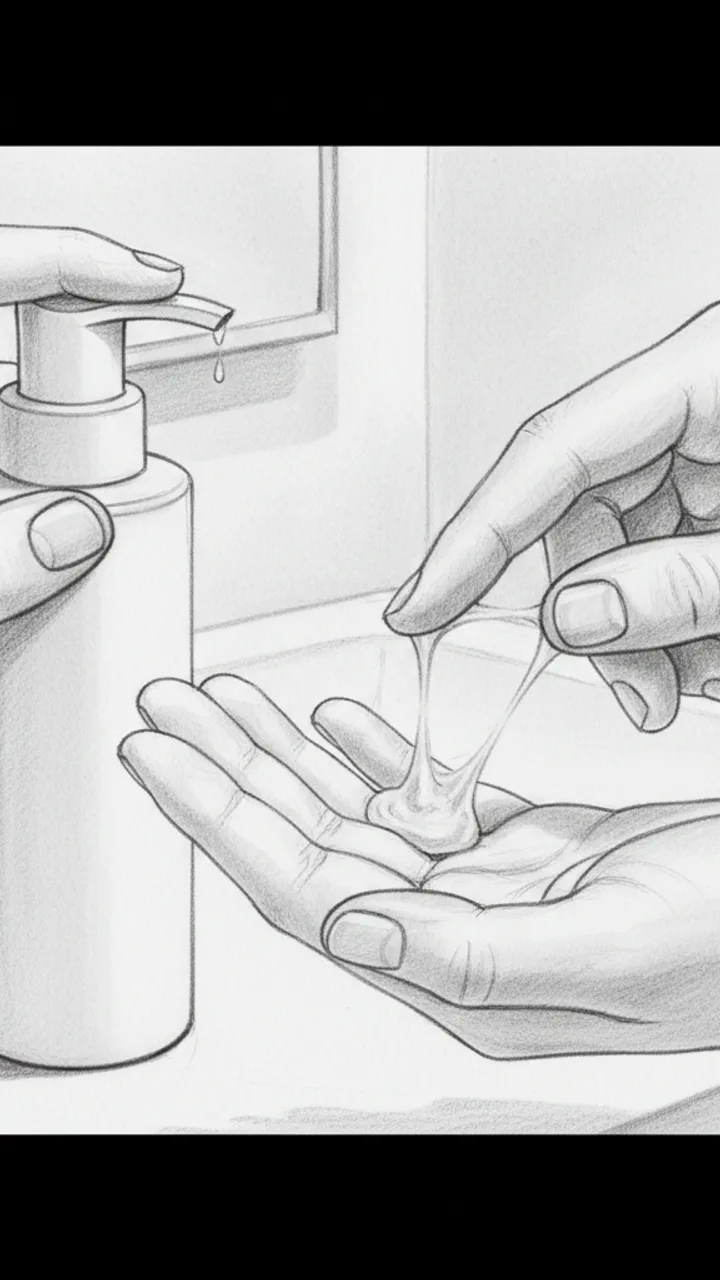
Texture and Experience
0:15 - 0:28 · 13s
Visual: Close-up of creator dispensing a small amount onto fingers — texture is milky, slightly gel-like. Slow rub between fingers to show consistency. Text overlay: 'milky-gel, no foam, no stripping feeling'
Audio: Texture-wise it's this milky gel — doesn't lather much, which I know feels weird at first if you're used to foam. But that low-surfactant thing is kind of the point. After about day five my skin stopped feeling tight post-wash, and by day fourteen the flakiness around my nose was noticeably calmer. Not gone, but calmer. For me, that's meaningful.
Note: Keep hands in frame the whole time. The 'for me' phrasing is intentional — do not cut it.
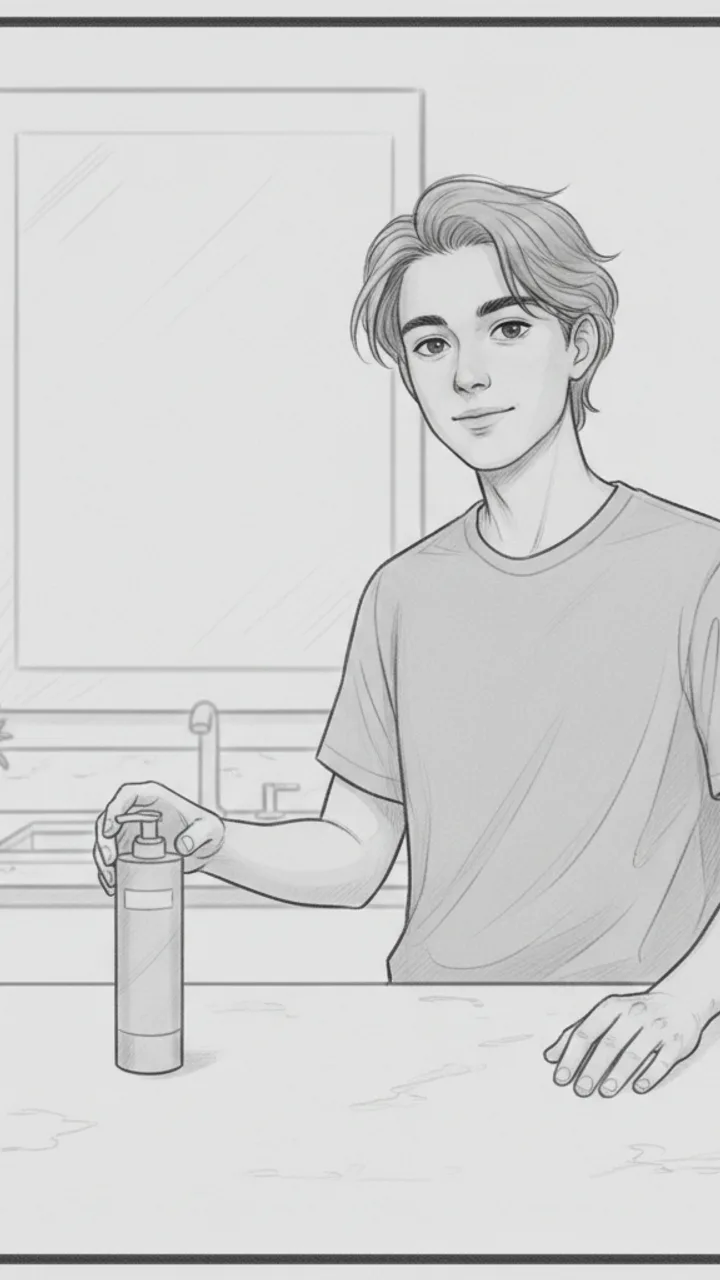
Honest Wrap + CTA
0:28 - 0:42 · 14s
Visual: Creator back on camera, relaxed medium shot. Sets the tube down on the counter behind them naturally. Final frame holds on product. Text overlay: 'linked below if you want the boring fix too'
Audio: It's not a glamorous product. It's not going to transform your skin in a week or smell like anything interesting. But if your barrier is struggling and you want something that just — does its job without adding noise, this one earned a permanent spot for me. Link's below if you're curious.
Note: Tone should feel like a friend wrapping up a thought, not closing a pitch. No urgency language.
Generate yours to see all 4 scenes unlocked
Includes hook variations, AI judge scores, and storyboard sketches per scene.
Generate your script freeMonday Morning: Decoding the Brief and Setting the Visual North Star
Tuesday: The Multi-Variant Generation and the AI Judge Panel
- Time-stamped cues for when to zoom into skin texture to prove a product isn't 'cakey'.
- Specific lighting instructions for showing shimmer vs. matte finishes.
- Natural-sounding transitions from personal anecdotes to brand talking points.
- Integrated 'shade name' overlays that happen during the swatch, not after.
- Verification that legal disclosures fit naturally into the dialogue flow.
Wednesday: Turning Words into Storyboards and Shot Lists
A professional beauty script is 40% dialogue and 60% visual instruction.
Thursday: The Final Export and Brand Handoff
Example hooks WeKlapp will generate
Common mistakes (and what to do instead)
✗ Using a ring light for every shot, which washes out the true texture of skincare products.
→ Use side-lighting or natural window light for 'after' shots to show genuine skin improvement and product finish.
✗ Scripting a 30-second intro before showing the product being applied.
→ Apply the product within the first three seconds of the video while speaking the hook.
✗ Forgetting to mention the specific shade name in the voiceover.
→ Always script the shade name into the first swatch scene to assist viewers with purchase intent.
✗ Over-editing skin to look 'perfect' in a foundation review.
→ Turn off beauty filters and mention that you've turned them off to build trust and show real results.
One Trouser, Three Outfits (Petite-Friendly Fit Note)
Hook: “These wide-leg trousers work for the office, dinner, and the weekend — and yes, I'm 5'2".”
Angle: A petite lifestyle creator proves wide-leg tailored trousers are a three-occasion staple, not just a tall-girl trend.
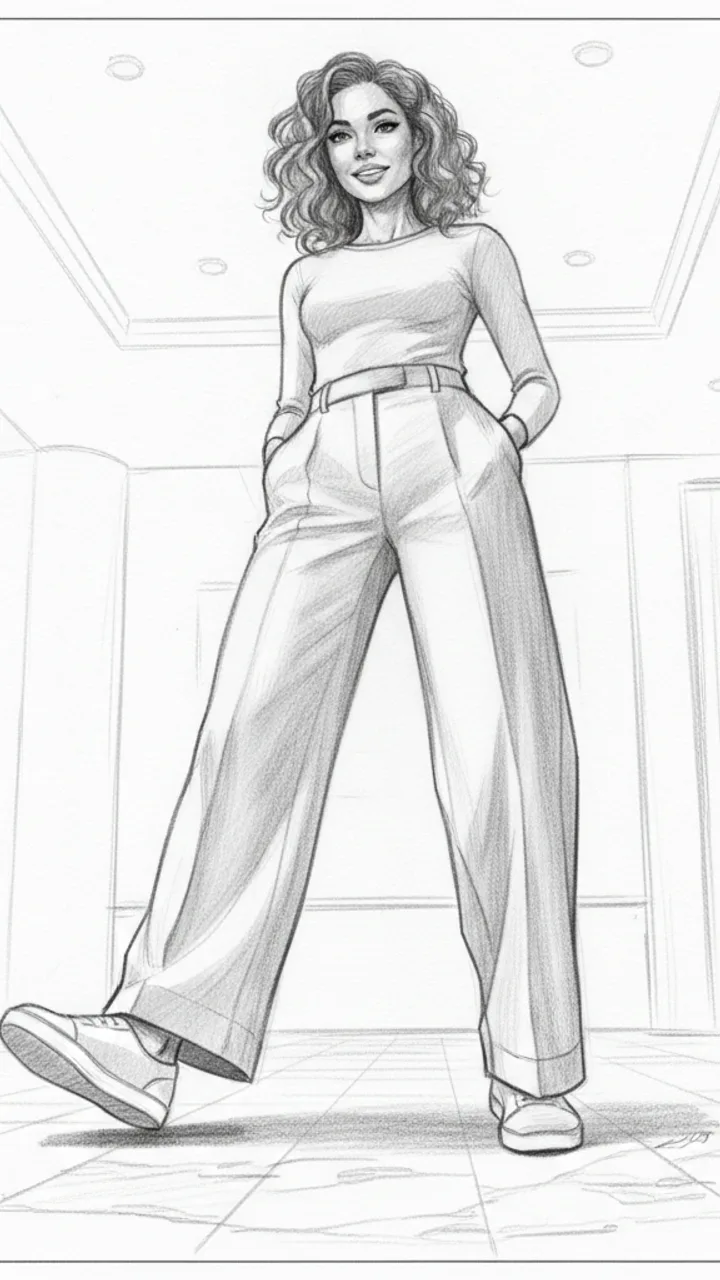
Hook
0:00 - 0:03 · 3s
Visual: Close-up, low-angle shot starting at the hem of wide-leg trousers pooling slightly on the floor, slowly panning up to creator's confident face. Text overlay centred on screen: 'ONE TROUSER. THREE WAYS. (Petite girl approved.)'
Audio: These wide-leg trousers work for the office, dinner, and the weekend — and yes, I'm 5'2".
Note: Hook line doubles as thumbnail headline. Keep pan smooth and slow — the fabric drape is the visual sell.
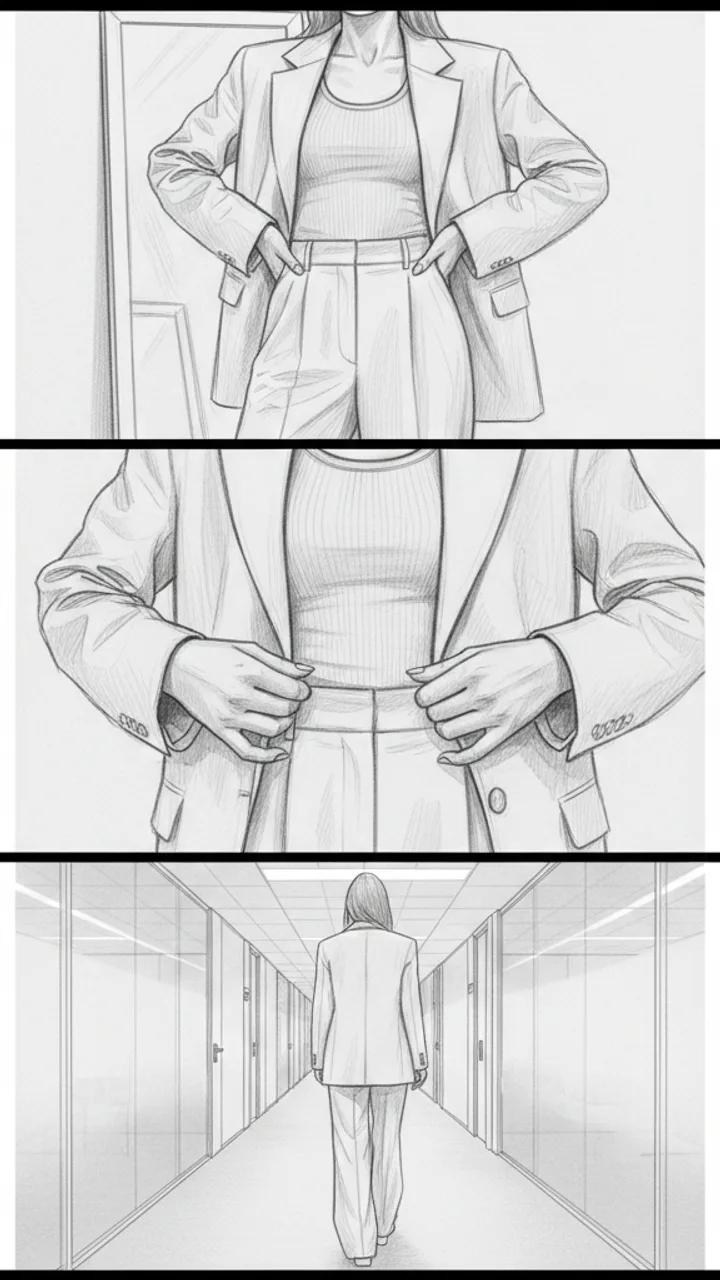
Office Look
0:03 - 0:15 · 12s
Visual: Three quick cuts: (1) Full-length mirror shot — trouser paired with a fitted ribbed tank tucked in and a structured blazer. (2) Hands adjusting blazer lapels. (3) Walking away from camera down a hallway. Text overlay top-left corner for each cut: 'Look 1: Office' then 'Mode District Wide-Leg Trouser'
Audio: For the office I'm keeping it clean — ribbed tank, blazer, pointed mules. The high waist does a lot of the work here. For me, the slightly cropped hem on the regular length actually hits perfectly at the ankle without alterations, which never happens.
Note: Mules are key — they visually lengthen the leg in the trouser. Natural light near a window preferred.
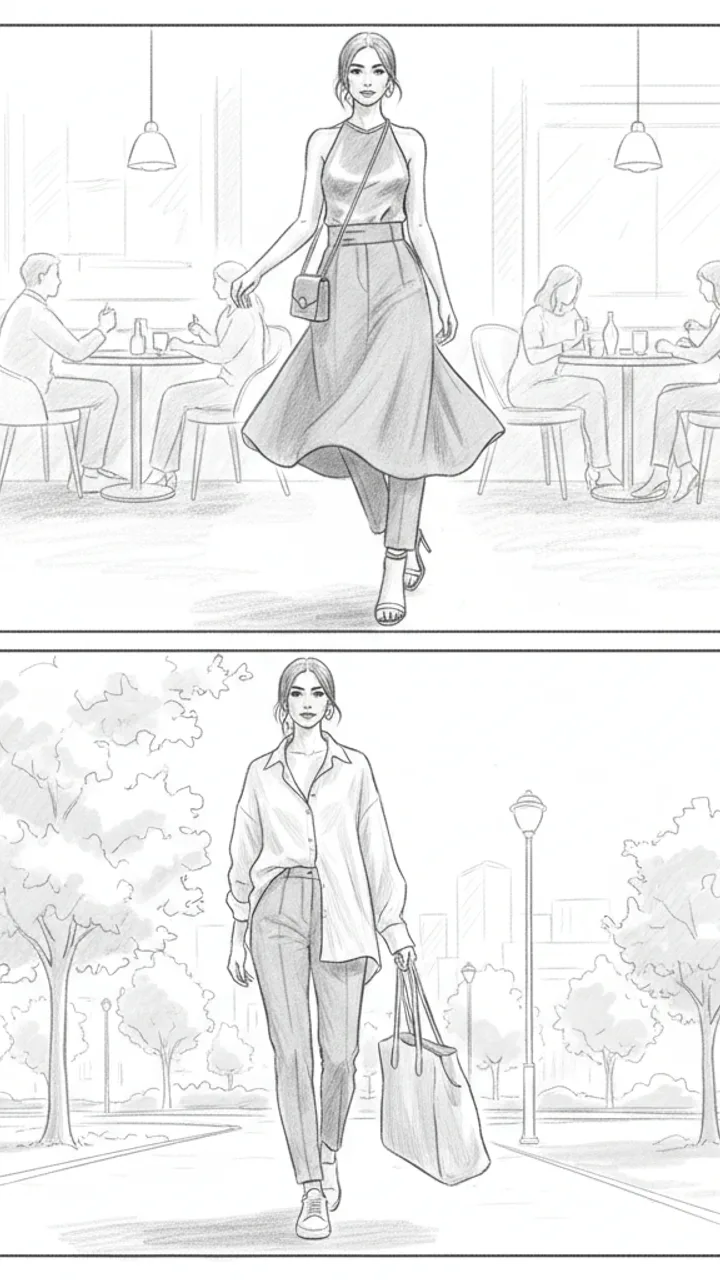
Dinner + Weekend Looks
0:15 - 0:30 · 15s
Visual: Split into two rapid mini-looks. Dinner: Creator spins into frame in a satin halter top tucked in, small shoulder bag, strappy heels — warm ambient restaurant-style lighting. Text overlay: 'Look 2: Dinner'. Weekend: Creator walks into frame in an oversized linen shirt half-tucked, white trainers, tote bag — bright outdoor natural light. Text overlay: 'Look 3: Weekend'
Audio: Dinner — swap the blazer for a satin halter and suddenly it's a whole different outfit. Weekend I go half-tuck, trainers, done. Same trouser, completely different energy each time. Link in bio if you want to try them.
Note: Keep transitions snappy — a single frame jump cut between looks. No fade. The contrast between looks is the payoff.
Generate yours to see all 3 scenes unlocked
Includes hook variations, AI judge scores, and storyboard sketches per scene.
Generate your script freeFrequently asked questions
How does the AI know my specific makeup style?
The system analyzes your past uploads to determine your pacing, the types of transitions you favor, and whether you prefer technical descriptions or emotional storytelling. It adapts the script tone to match your established persona so brand deals don't feel 'off-brand' to your long-term followers.
Can it handle complex skincare ingredients and legal claims?
Yes. When you input a brand brief, you can flag specific phrases as 'mandatory.' The AI judge will then verify that these technical claims are included exactly as the brand's legal team requires while still making them sound conversational.
Will the scripts work for both TikTok and Instagram Reels?
The export settings allow you to toggle between platforms. A Reels script might suggest a slightly slower pace with more 'aesthetic' filler shots, while a TikTok script will prioritize fast cuts and a high-energy hook to maximize retention.
Does the storyboard feature work for non-artists?
The 'sketches' are simple visual prompts meant to guide your camera angles, not to be works of art. They act as a shot list and a visual roadmap so you know exactly where to place the camera for each line of the script.
How do I use the script during filming?
You can export the final script directly to a teleprompter app or a mobile-friendly Word document. The time-codes help you stay on track so your final edit doesn't exceed the brand's required duration.
Related script templates
Generate your first script in under a minute
Paste a channel link and a brand brief. WeKlapp handles the analysis, scriptwriting, judging, and storyboarding.
Start free