Wine TikTok Script Generator
A creator we recently analyzed specializes in high-acid whites and skin-contact wines, maintaining a visual style heavy on condensation-beaded glasses and natural window light. When a brief arrived for a clean-lined, modern brand like Winc, the tension was immediate: the brand wanted crisp, minimalist aesthetics, while the creator’s audience tuned in for the 'low-fi' garage winery vibe. Bridging that gap requires more than just swapping the bottle on the table. It involves adjusting the verbal cadence from slow, appreciative sips to the punchy, rapid-fire editing that high-volume wine clubs prioritize. WeKlapp handled this by ingestng the creator's raw footage history alongside the PDF brief, identifying that the creator usually opens with a sensory pivot—a sound or a specific color observation—rather than a direct address. By generating scripts that lead with the 'glug' sound of a pour rather than a scripted 'Hey guys,' the AI maintained the creator's authenticity while hitting every mandatory brand talking point in under 45 seconds.
Trained on what works in the wine corner of TikTok
Hook variations tuned to the first 2 seconds of attention
Brand-fit angles vetted by an AI judge panel
Scene-by-scene storyboards you can revise in one click
The Boring Cleanser That Fixed My Skin Barrier
Hook: “This is the least exciting product I've ever loved.”
Angle: A chemistry-curious reviewer documents 14 days of using a ceramide cleanser as a skin-barrier reset — no drama, just honest observation.
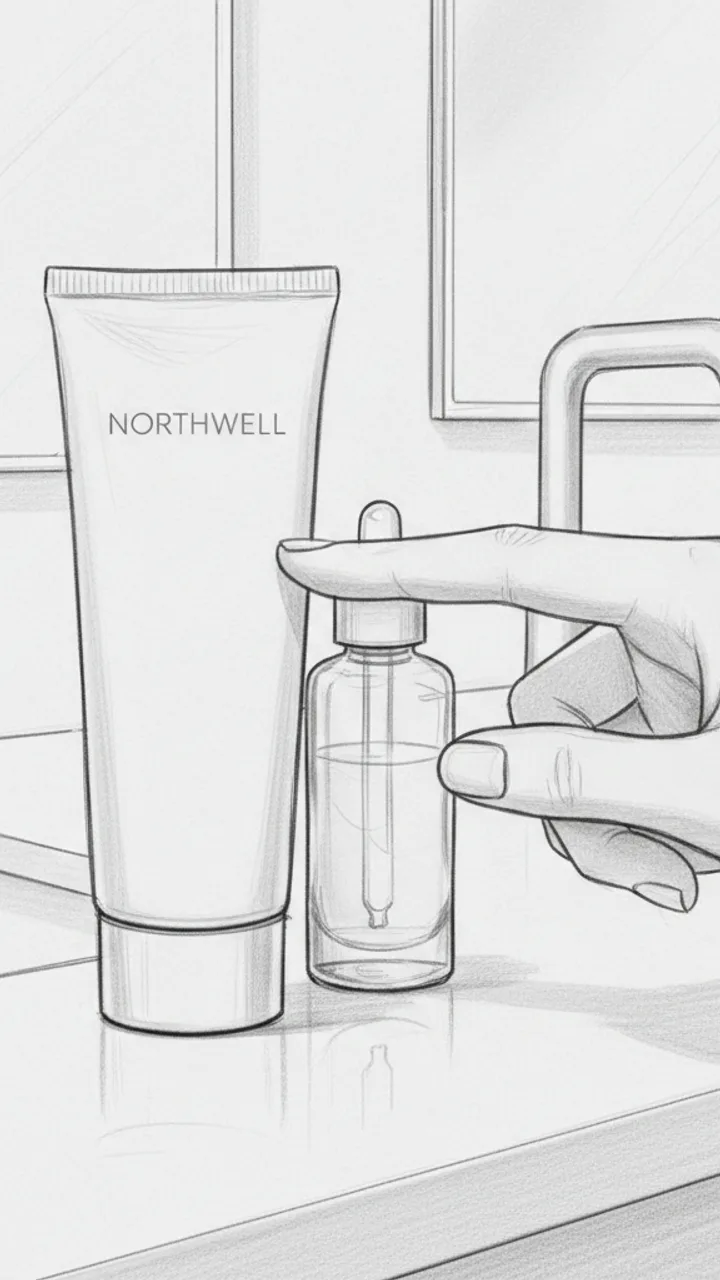
Hook
0:00 - 0:03 · 3s
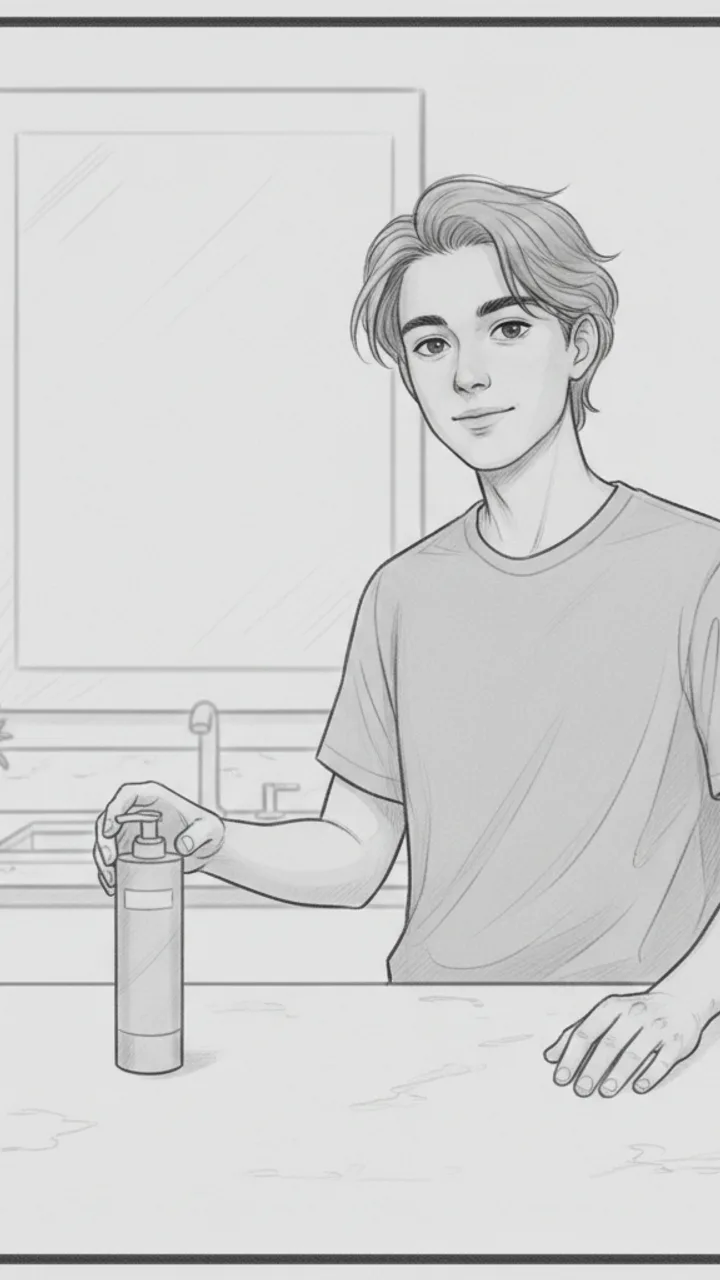
Visual: Close-up handheld shot of a plain, minimal Northwell cleanser tube sitting on a bathroom counter next to a half-empty serum. Creator's hand taps it once. Text overlay in clean sans-serif: 'THE BORING CLEANSER THAT FIXED MY SKIN BARRIER'
Audio: This is the least exciting product I've ever loved.
Note: No face needed in this shot — let the product do the work. Tap should feel casual, not performative.
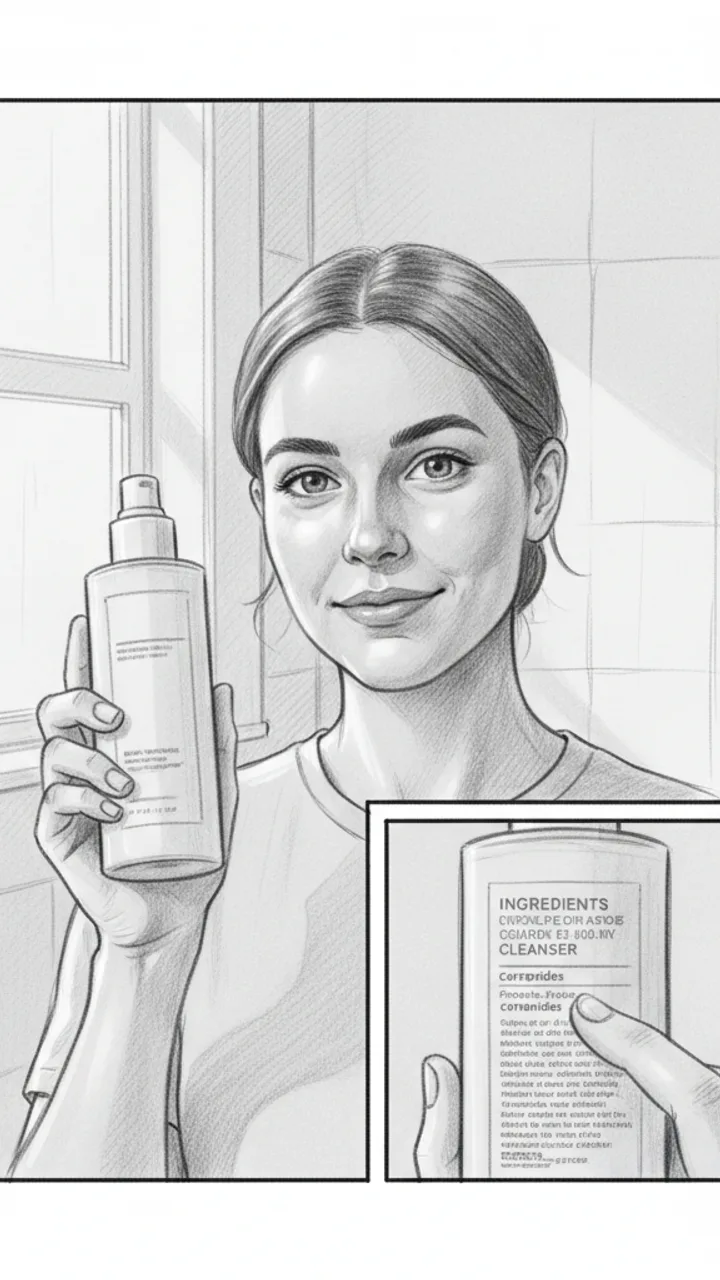
The Problem Setup
0:03 - 0:15 · 12s
Visual: Medium shot, creator facing camera in bathroom lighting — natural, not ring-lit. Holds up cleanser. Cut to a quick close-up of the ingredient panel with a finger underlining 'ceramides.' Text overlay: 'ceramides = barrier glue, basically'
Audio: My skin was doing that thing where it's tight after washing but also somehow still flaky. Classic compromised barrier stuff. I wanted to strip it back and just use something with ceramides and nothing that would fight with my skin — so I tried the Northwell ceramide cleanser for 14 days, pretty much nothing else changed.
Note: The ingredient close-up should be legible but quick — 1.5 seconds max. Feels like a passing observation, not a lesson.
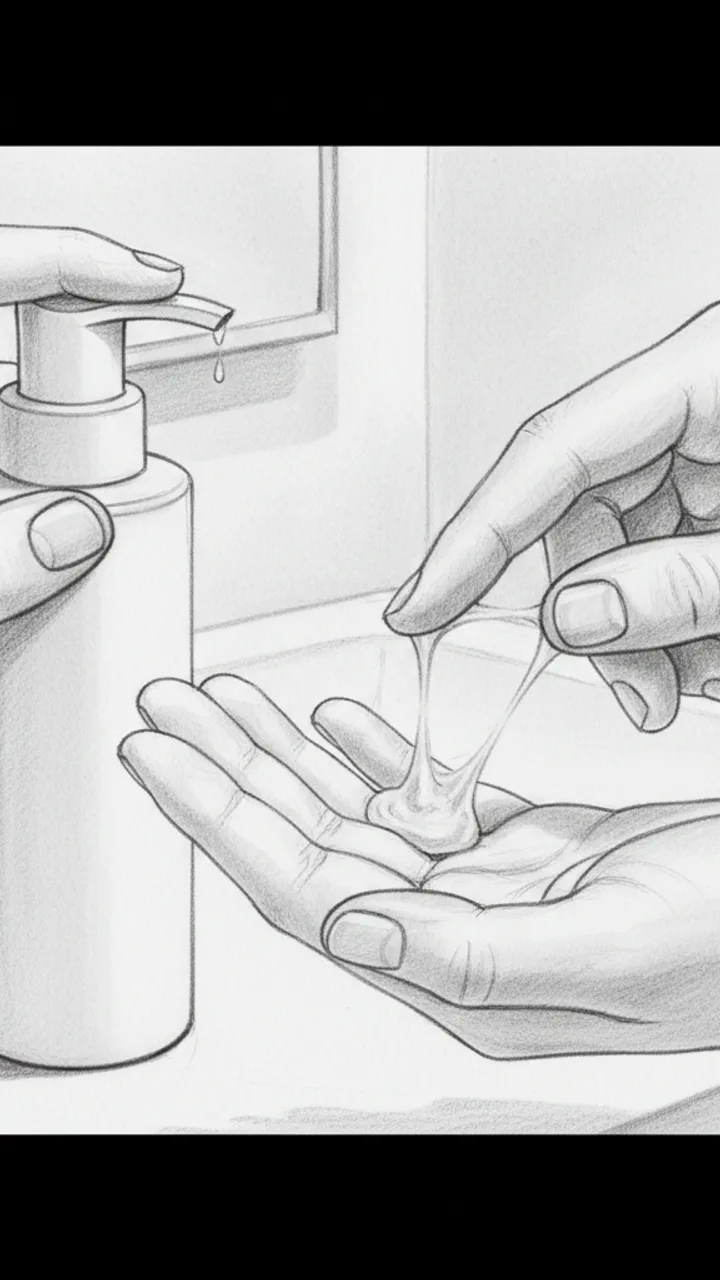
Texture and Experience
0:15 - 0:28 · 13s
Visual: Close-up of creator dispensing a small amount onto fingers — texture is milky, slightly gel-like. Slow rub between fingers to show consistency. Text overlay: 'milky-gel, no foam, no stripping feeling'
Audio: Texture-wise it's this milky gel — doesn't lather much, which I know feels weird at first if you're used to foam. But that low-surfactant thing is kind of the point. After about day five my skin stopped feeling tight post-wash, and by day fourteen the flakiness around my nose was noticeably calmer. Not gone, but calmer. For me, that's meaningful.
Note: Keep hands in frame the whole time. The 'for me' phrasing is intentional — do not cut it.
Honest Wrap + CTA
0:28 - 0:42 · 14s
Visual: Creator back on camera, relaxed medium shot. Sets the tube down on the counter behind them naturally. Final frame holds on product. Text overlay: 'linked below if you want the boring fix too'
Audio: It's not a glamorous product. It's not going to transform your skin in a week or smell like anything interesting. But if your barrier is struggling and you want something that just — does its job without adding noise, this one earned a permanent spot for me. Link's below if you're curious.
Note: Tone should feel like a friend wrapping up a thought, not closing a pitch. No urgency language.
Generate yours to see all 4 scenes unlocked
Includes hook variations, AI judge scores, and storyboard sketches per scene.
Generate your script freeReconciling the technical brief with a casual aesthetic
- Mapping brand 'must-haves' to natural dialogue beats
- Converting dry logistics into high-retention text overlays
- Prioritizing sensory descriptions over corporate buzzwords
- Maintaining the 'unfiltered' look while hitting professional benchmarks
Filtering the AI output for production feasibility
Small adjustments to shot length in the script stage prevented the common 'wine-tok' error of lingering too long on a label.
Where the creator took back the wheel
Example hooks WeKlapp will generate
Common mistakes (and what to do instead)
✗ Leading with a 5-second history of the vineyard.
→ Start with the 'pour shot' or a polarizing flavor claim to grab attention before the first cut.
✗ Using overly technical 'sommelier' language for a casual audience.
→ Replace descriptors like 'high tannins' with relatable sensations like 'that tea-leaf dryness on your tongue.'
✗ Static shots of the bottle sitting on a counter for the entire video.
→ Use a 3-shot pattern: macro of the label, the pour, and the creator’s immediate reaction.
✗ Ignoring the 'audio' experience of wine.
→ Lean into the ASMR of the cork pop or the clink of the glass to keep viewers from scrolling.
I Was Paying $47/Month for Nothing
Hook: “I just found out I'm paying for three subscriptions I completely forgot existed.”
Angle: Creator opens the Ledger & Rye app live on camera and reacts in real time to forgotten subscriptions draining $47/month from their account.
Hook
0:00 - 0:03 · 3s
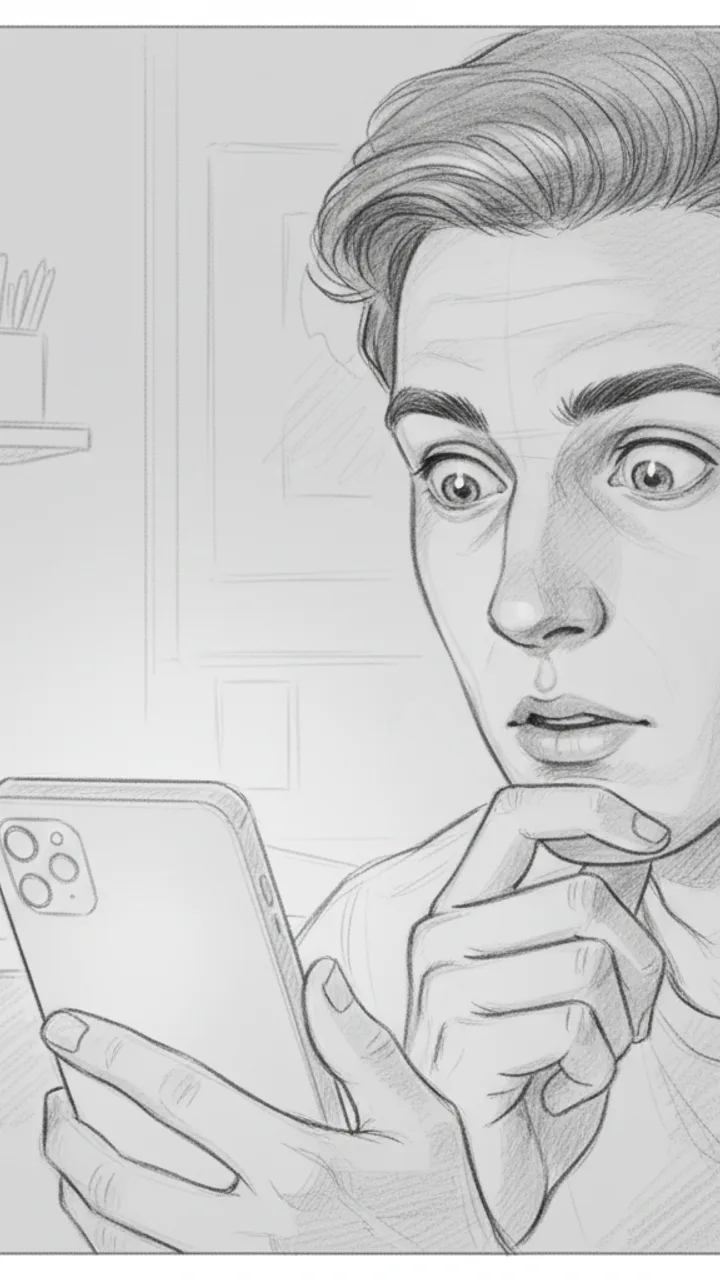
Visual: Tight close-up on creator's face, slightly over-the-shoulder angle, phone screen faintly visible in hand. Text overlay in bold white: '$47/MONTH I FORGOT ABOUT'
Audio: I just found out I'm paying for three subscriptions I completely forgot existed.
Note: Deliver with a flat, tired expression — not dramatic, just genuinely annoyed at yourself. Hook doubles as thumbnail headline.
The Discovery
0:03 - 0:18 · 15s
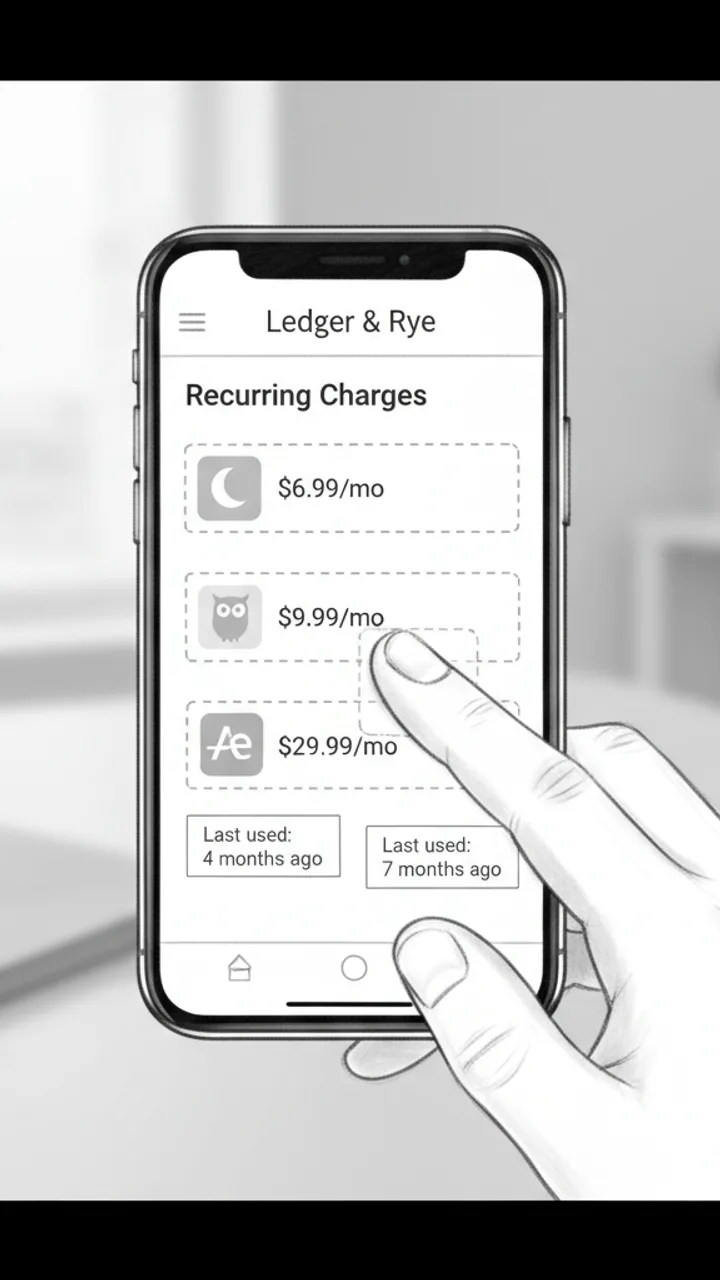
Visual: Screen recording of Ledger & Rye app open to a 'Recurring Charges' summary panel. Three line items animate in one by one: 'Calm — $6.99/mo', 'Duolingo Plus — $9.99/mo', 'Adobe Express — $29.99/mo'. Creator's thumb taps each one. Text overlay appears under each: 'Last used: 4 months ago', 'Last used: 7 months ago', 'Last used: 2 months ago'
Audio: So I opened Ledger and Rye and it flagged this 'Recurring Charges' section — and there's Calm, which I downloaded during a very specific week in 2022. Duolingo Plus, because apparently I was going to learn Portuguese. And Adobe Express for $30 a month, which… I genuinely cannot explain.
Note: Keep the screen recording clean and unedited — real app UI, no motion graphics added in post. The mundane specificity of the apps is the joke.
The Math
0:18 - 0:30 · 12s
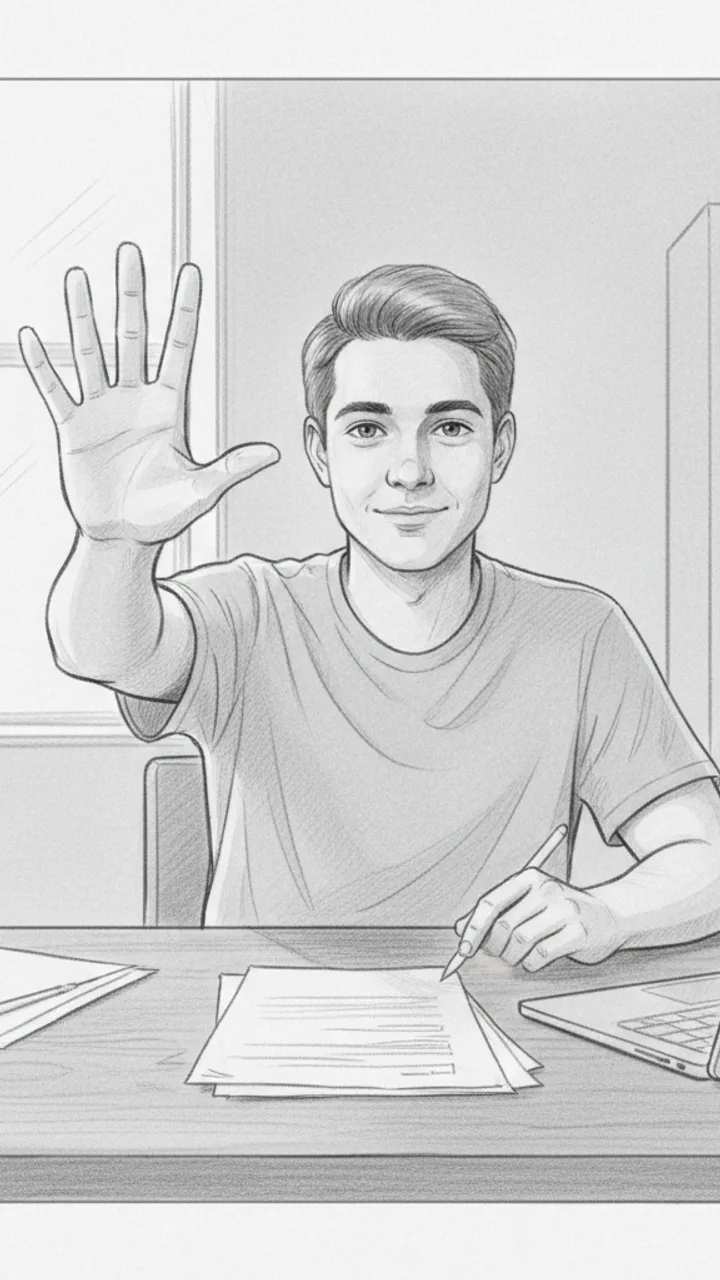
Visual: Cut back to creator on camera, medium shot, sitting at a desk. Creator holds up three fingers and counts down. Text overlay bottom-center: '$47 / month = $564 / year'
Audio: That's $47 a month. Which is $564 a year. On apps I haven't opened since before I moved apartments. I cancelled all three in like four minutes. I'm not saying I'm bad with money, but I'm also not NOT saying that.
Note: Pause naturally after '$564 a year' — let the number land before the self-deprecating closer. No need to rush.
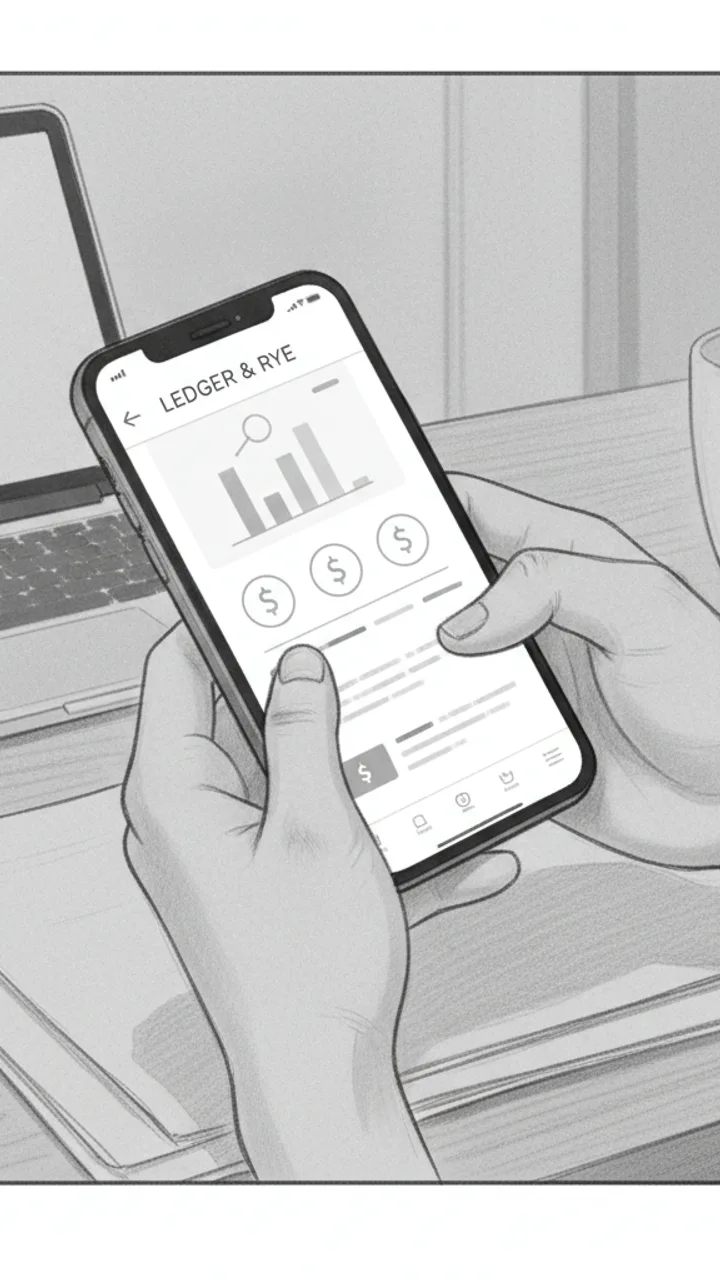
Soft CTA
0:30 - 0:38 · 8s
Visual: Creator tilts phone toward camera briefly showing the Ledger & Rye home screen, then sets it face-down. Minimal text overlay bottom-left: 'Ledger & Rye — link in bio'
Audio: If you haven't checked yours in a while, the app is called Ledger and Rye — it's free to start. Genuinely took me less time than this video to find all of it.
Note: Tone should feel like a recommendation to a friend, not a pitch. No urgency language. Creator sets the phone down casually — signals the video is over naturally.
Generate yours to see all 4 scenes unlocked
Includes hook variations, AI judge scores, and storyboard sketches per scene.
Generate your script freeFrequently asked questions
How does the AI know my specific 'voice' compared to other wine creators?
WeKlapp doesn't use a generic template. It ingests your past transcripts and video metadata to map your specific pacing, slang, and transition style. If you usually use dry humor or technical deep-dives, the generator prioritizes those linguistic patterns in every new script it produces.
Can it handle specific brand requirements from a PDF brief?
Yes. You can upload the original campaign brief. The AI parses the mandatory talking points, legal disclaimers, and visual requirements, then weaves them into your natural content style so the video doesn't end up looking like a forced advertisement.
What if the AI suggests a shot I can't actually film at home?
The generator allows you to set a 'production effort' level. If you're filming alone in your kitchen, you can toggle for low-complexity setups. The AI judge panel also flags scripts that require excessive locations or props before you start filming.
Does the script include notes for on-screen text and captions?
Every script comes with a secondary column for on-screen actions and text overlays. This ensures that technical details—like price points or Vivino ratings—don't clutter your spoken dialogue but still reach the viewer.
Can I export the final script to other apps?
The final approved scripts and storyboard notes export directly to Word or as a structured text file, making it easy to pull into your teleprompter app or share with a brand manager for pre-approval.
How does the AI judge panel score my script?
The panel runs your script against four internal models: brand fit, style match, production effort, and brand safety. It gives you a score for each, highlighting exactly where a script might feel 'off-brand' or too difficult to execute.
Related script templates
Generate your first script in under a minute
Paste a channel link and a brand brief. WeKlapp handles the analysis, scriptwriting, judging, and storyboarding.
Start free